Get paid for every lesson, on time
Invoices and payments for music studios, with:
- Invoices that send themselves
- Card and bank payments
- Auto-pay and late fees
Families pay through
your own Stripe or PayPal
- Stripe
- PayPal
- ACH
- Bacs
- BECS
- SEPA
Your own processor
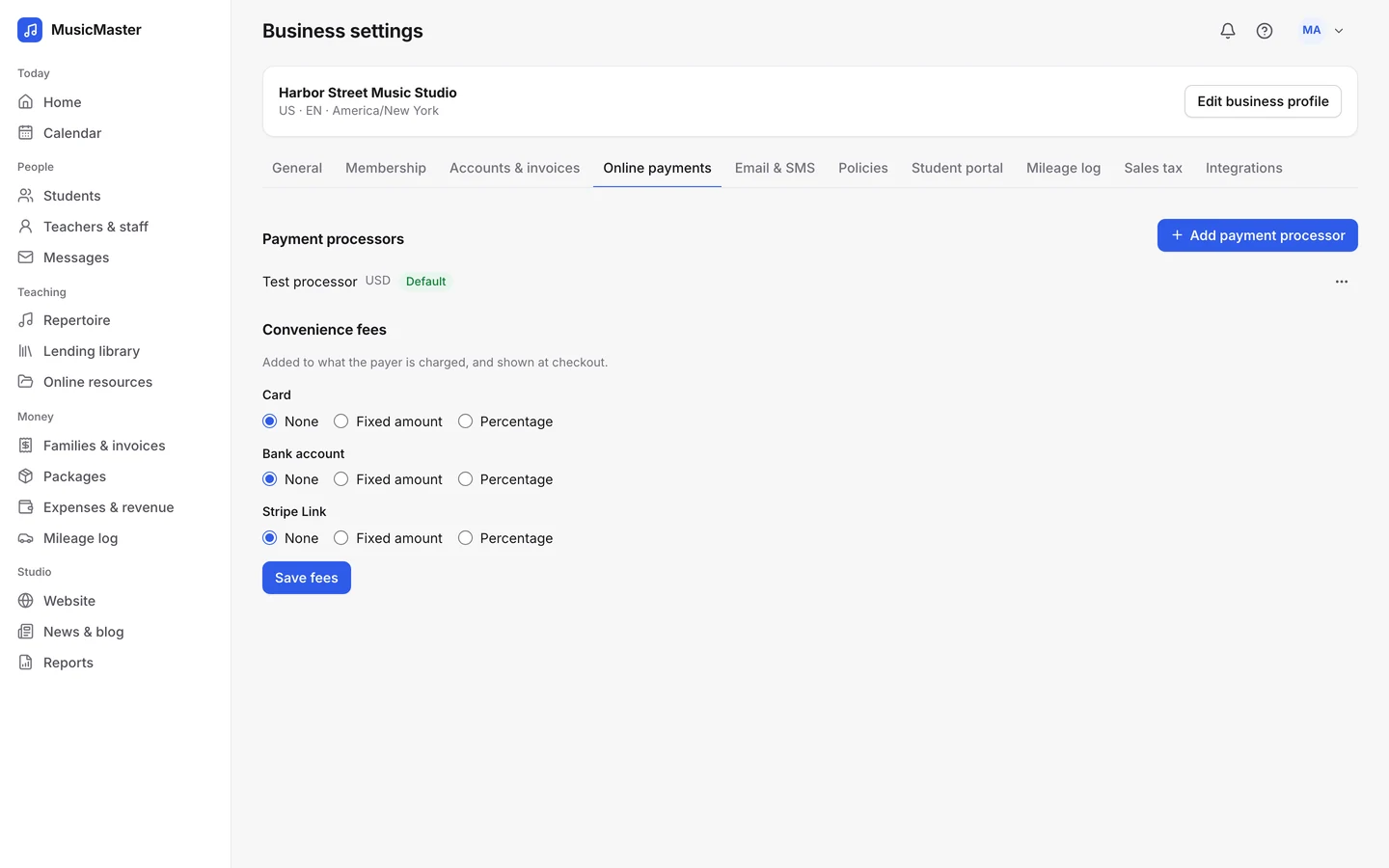
Payments go straight to your account.
Connect your studio’s own Stripe or PayPal account and every online payment lands there. Sonely takes no cut of what families pay; your processor charges its usual fees.
Depending on your processor and country, families can pay by:
- Card or PayPal
- ACH bank payment in the US
- Bacs, BECS or SEPA direct debit in the UK, Australia and Europe
Want families to cover the fee? Add a convenience fee, fixed or a percentage, to card or bank payments.
Paying online
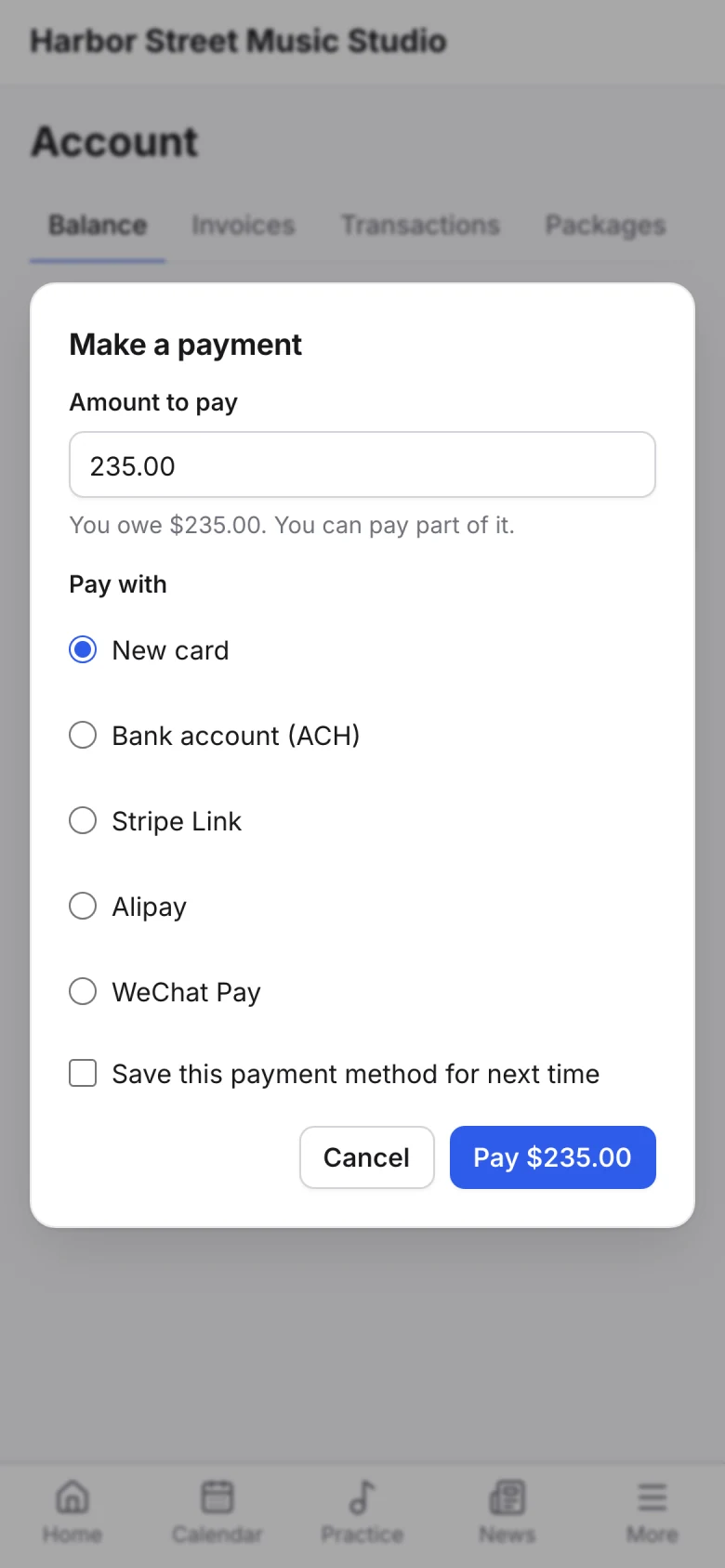
Families pay in a few taps.
Every invoice email has a Pay online link, and the family portal has Make a payment. Families can save a card or bank account for next time and turn on auto-pay.
You decide whether they can pay part of what they owe.
Family accounts
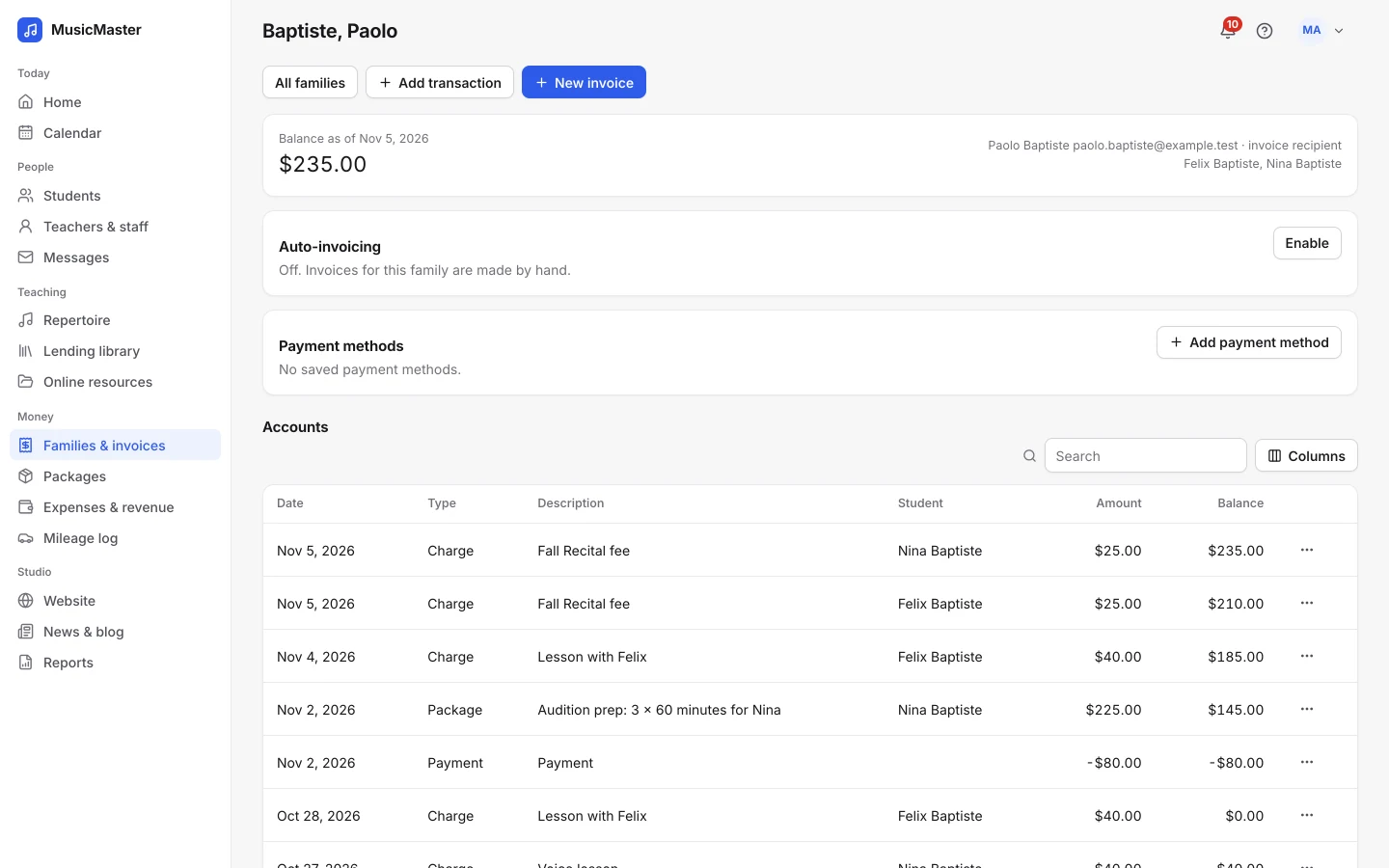
The whole picture, from lesson to payment.
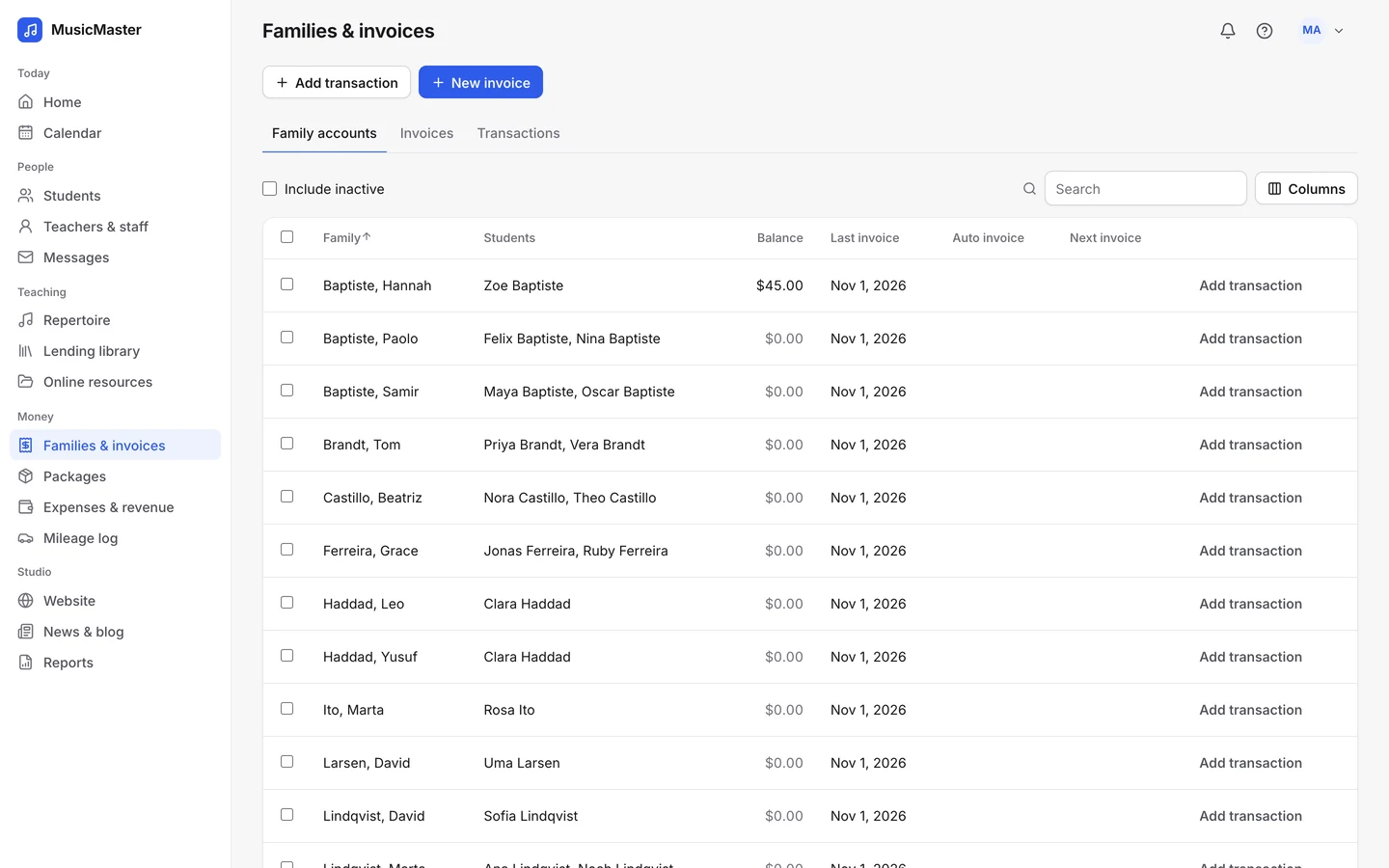
Every family has one account. Lessons, packages and fees go on, payments and discounts come off, and the balance is always up to date.
Invoices
By lesson, package or month, as PDFs with your logo.
Transactions
Charge, Payment, Discount, Refund, Package and Late fee.
Balance on any date
See what a family owed on the day you pick.
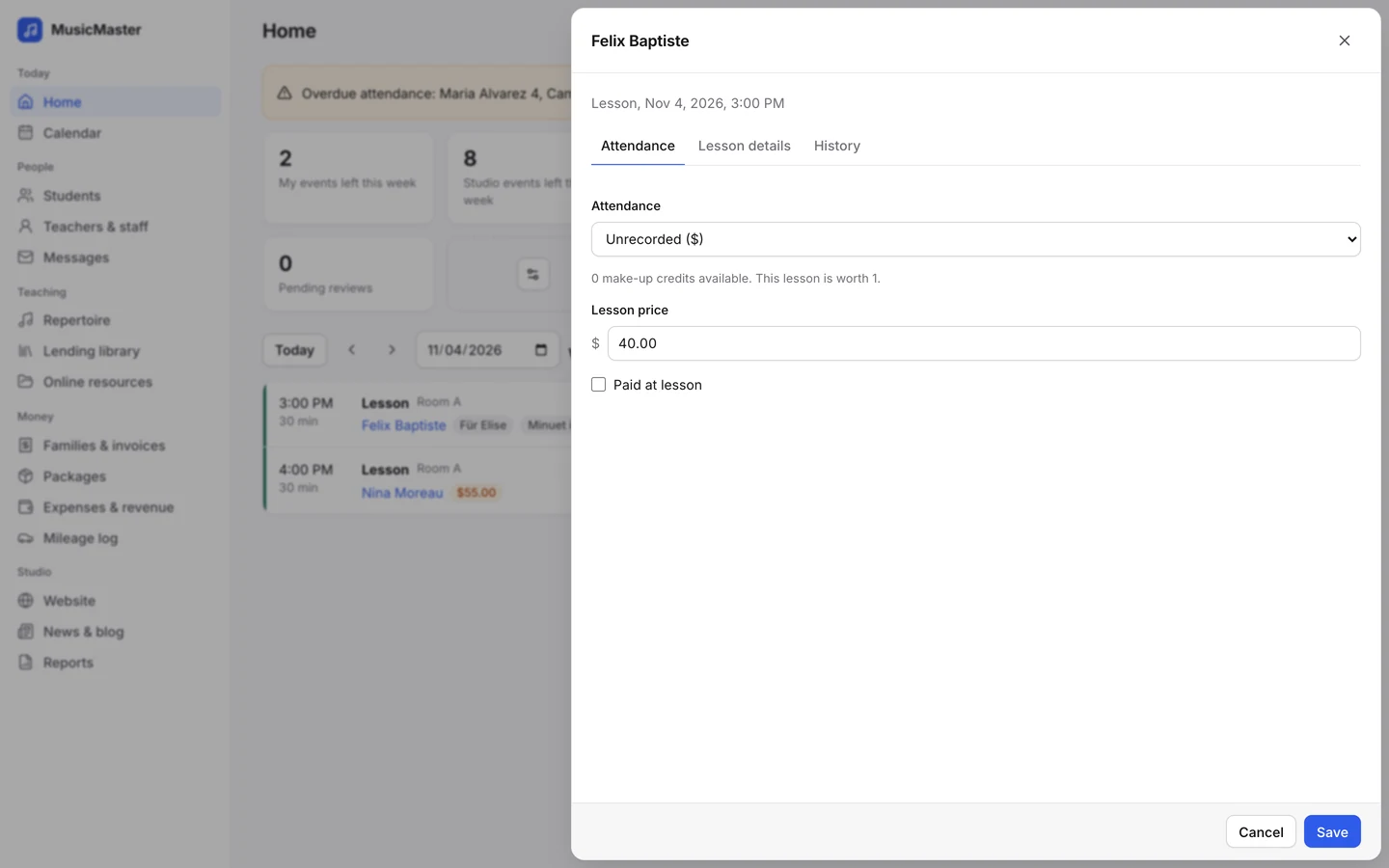
Billing from attendance
Billing that follows your calendar.
Charges come from the lessons on the calendar and the attendance you take. Mark a lesson Absent, notice given and the charge comes off; use a make-up credit and the lesson isn’t billed twice.
No more counting lessons at the end of the month.
Pay for your teachers, never a cut of your payments.
Sonely is free for one teacher and priced per extra seat, whatever your families pay you.
When an invoice is late, the reminder goes out and the late fee is added on their own, so nobody has to chase anyone.
Overdue invoices
Invoices & payments
What’s in Invoices & payments.
Here’s what Sonely does with your studio’s money.
Cash, cheques and transfers
Record payments taken by hand and email a receipt.
Lesson packages
Sell blocks of lesson time that are used up as lessons are scheduled.
Auto-invoicing
Invoices made and emailed for each family by lesson, package or month.
Auto-pay
A saved card or bank account pays each invoice as it’s sent.
Overdue reminders
Reminders by email, and by text, when an invoice is late.
Late fees
A fixed amount or a percentage, added once an invoice is overdue.
Sales tax
Taxes on lesson charges, and a Sales tax report.
Invoice PDFs
With your logo, to download or email.
Payment links
Copy a link to pay an invoice and send it however you like.
- Security
Card details stay with your processor
Saved payment methods are held by Stripe or PayPal, never by Sonely.
- Security
Two-factor sign-in
Ask for a code from an authenticator app at sign-in.
- Security
Permissions
Only the people you allow see family accounts and invoices.
Simple pricing, no cut of your payments.
Invoices & payments is part of every Sonely plan, including the free one. One teacher is free, and each extra teacher, admin or staff login is a paid seat. Your payment processor charges its own fees, and Sonely adds nothing on top.
Every invoice, every payment
Included
See pricingFrequently asked questions about invoices and payments
For anything else, contact us.
Yes, through Stripe: ACH in the US, Bacs in the UK, BECS in Australia and SEPA in Europe. A bank payment shows as pending until it clears. If it fails, the invoice goes back to unpaid and the family is told.
Your own Stripe or PayPal account. Families’ saved cards and bank details are held by your processor, never by Sonely.
No. You pay your processor’s usual fees and nothing more to us. If you want families to cover the fee, add a convenience fee to card or bank payments.
Yes. Each student can be billed per lesson, per month or by the hour, or pay for a package of lesson time. On a monthly rate, any month with a lesson gets one charge.
Attendance decides. Absent, notice given takes the charge off, and the statuses marked ($) keep it. Change the status later and the family’s balance follows.
Yes. Turn on auto-invoicing for a family and choose how often, and Sonely makes and emails each invoice on the day. Admins get a summary a few days before, so there’s time to check.
Not directly. Export your transactions and reports as spreadsheets and bring them into your accounting software.
Yes, if you turn them on: a fixed amount or a percentage of what’s unpaid, added once when an invoice is a set number of days overdue.
From the family portal, yes, if you allow partial payments. The Pay online link in an invoice email pays the whole invoice.
Start getting paid, free for one teacher.
Free for one teacher | No card needed | Unlimited students
Want to look around first? Open the demo studio.