Tags for groups and instruments
Tag students by class, ensemble, level or instrument, then message them, share files with them or filter by them.
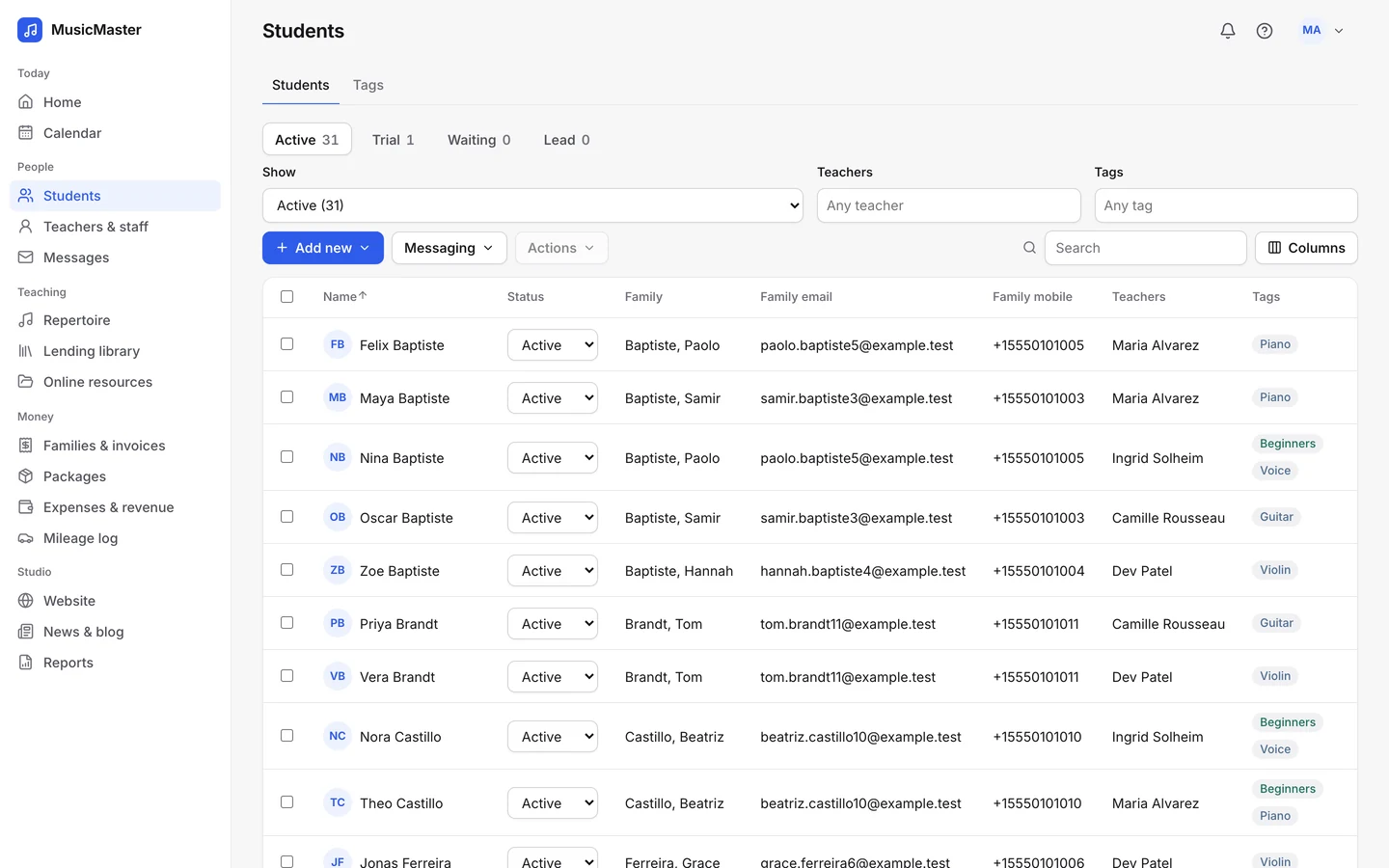
Keep students, families, contacts and teachers together, with statuses from lead to active and one account for each household.
Students are unlimited on every plan.

Students are unlimited on every plan.
Student records
Details, teachers, family contacts, messages, attendance, practice, repertoire, packages, portal access and attachments, a tab for each.
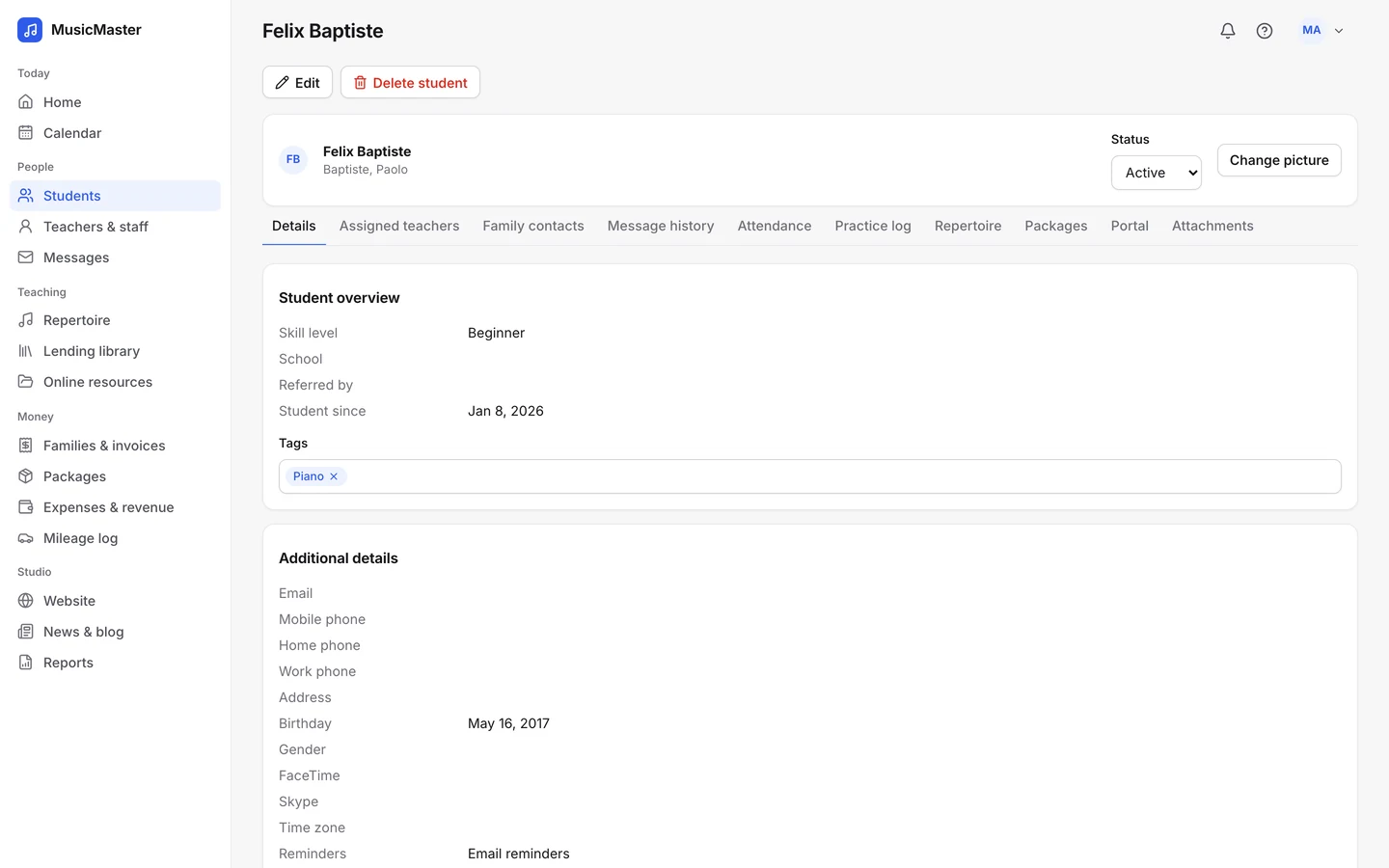
Brothers and sisters share one family account and one bill.
Parents, guardians and others, and who gets the invoices.
Every email sent to the student or their family.
Keep forms and files with the student.
Students are unlimited on every plan, because a growing studio shouldn’t pay more for every new student.
The Sonely team
How pricing works
Statuses
Active, Trial, Waiting, Lead and Inactive. Active and trial students go on the calendar, and you can still email the waiting list and your leads.
Students who sign up on your website arrive with the status and tags you chose.
Tags, filters and families that fit the way your studio works.
Tags and filters
Tag students by class, ensemble, level or instrument, then message them, share files with them or filter by them.
Change the status, tags, teachers or reminder settings of many students at once.
Tag students by class, ensemble, level or instrument, then message them, share files with them or filter by them.
Change the status, tags, teachers or reminder settings of many students at once.
Families
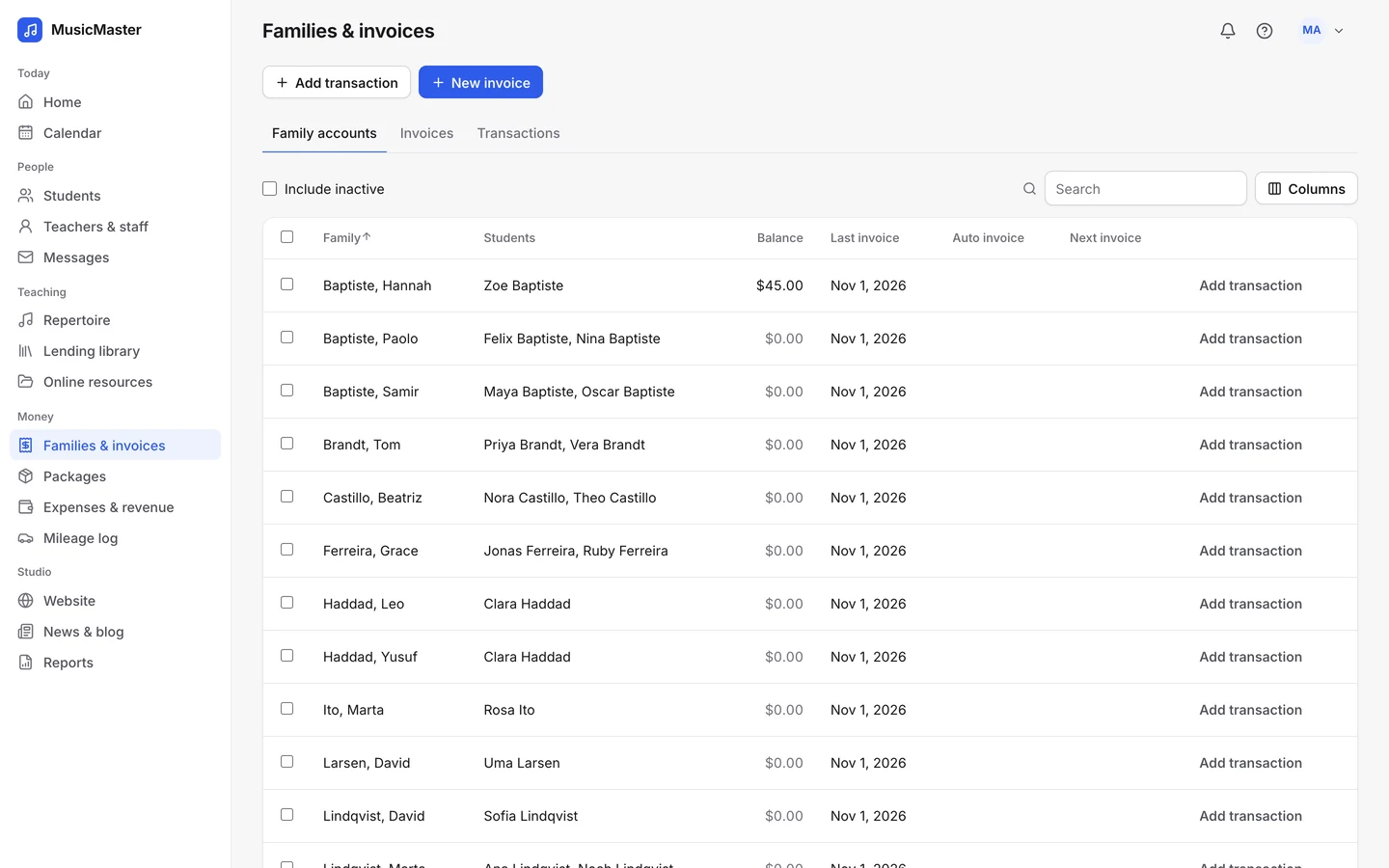
Siblings share a family account, so their lessons add up on one invoice.
Add parents, guardians and others, choose who receives the invoices, and keep everyone’s phone and email in one place.
Adults can be their own contact, with their own invoices and their own portal login.
Siblings share a family account, so their lessons add up on one invoice.
Add parents, guardians and others, choose who receives the invoices, and keep everyone’s phone and email in one place.
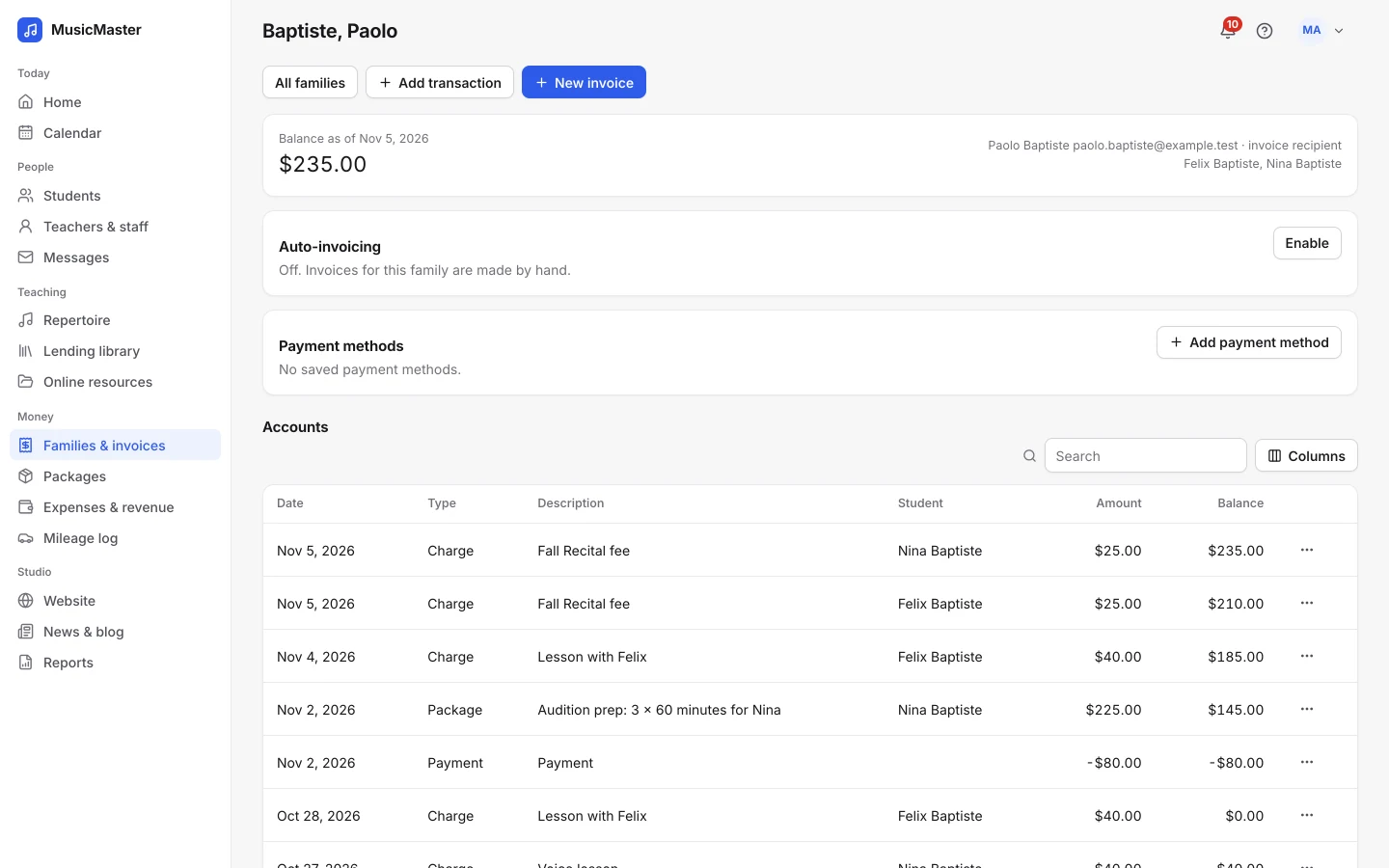
Adults can be their own contact, with their own invoices and their own portal login.
Teachers and staff
See each teacher’s students, instruments and payroll balance.
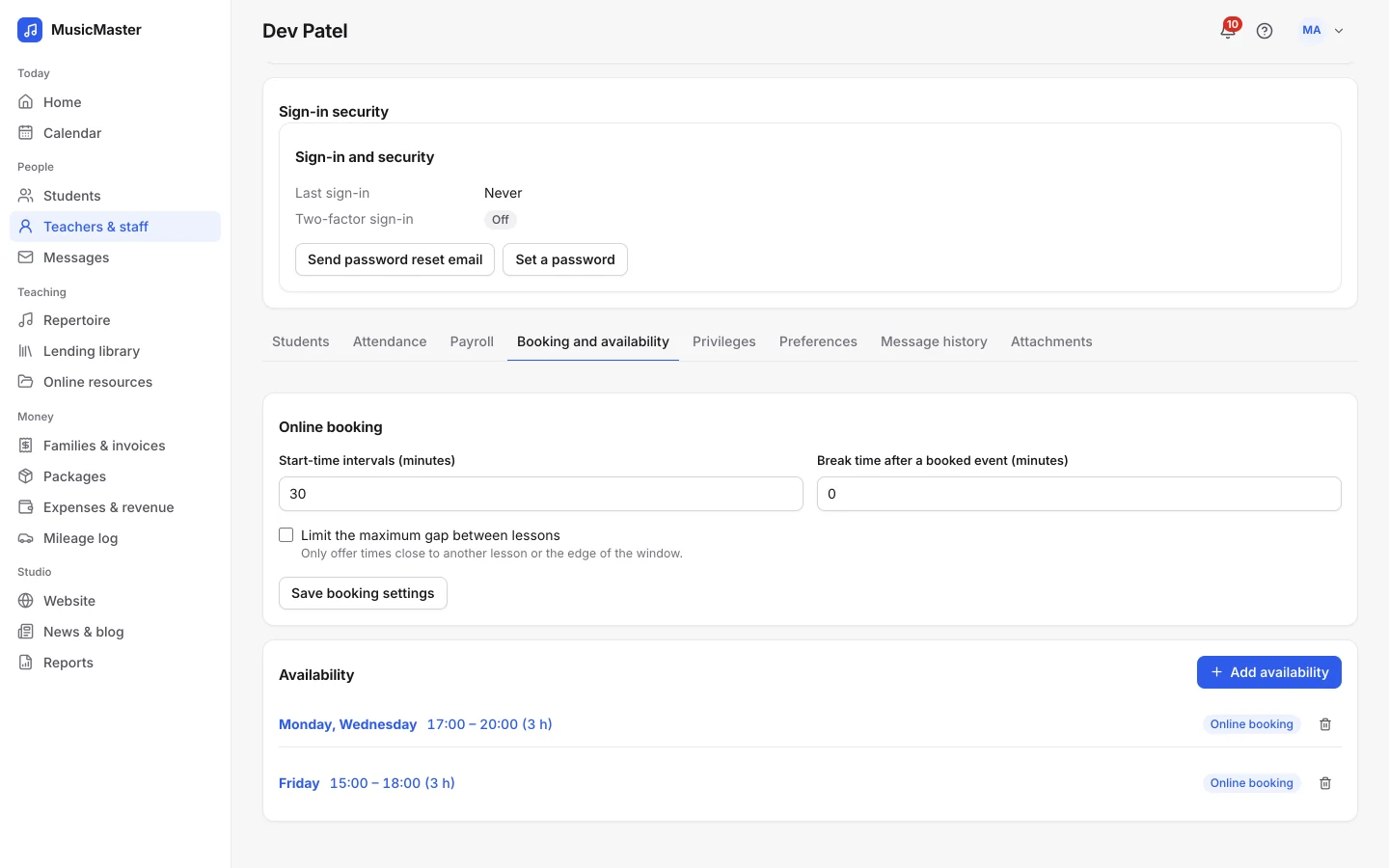
Each teacher sets the hours they teach and whether families can book them online.
See each teacher’s students, instruments and payroll balance.
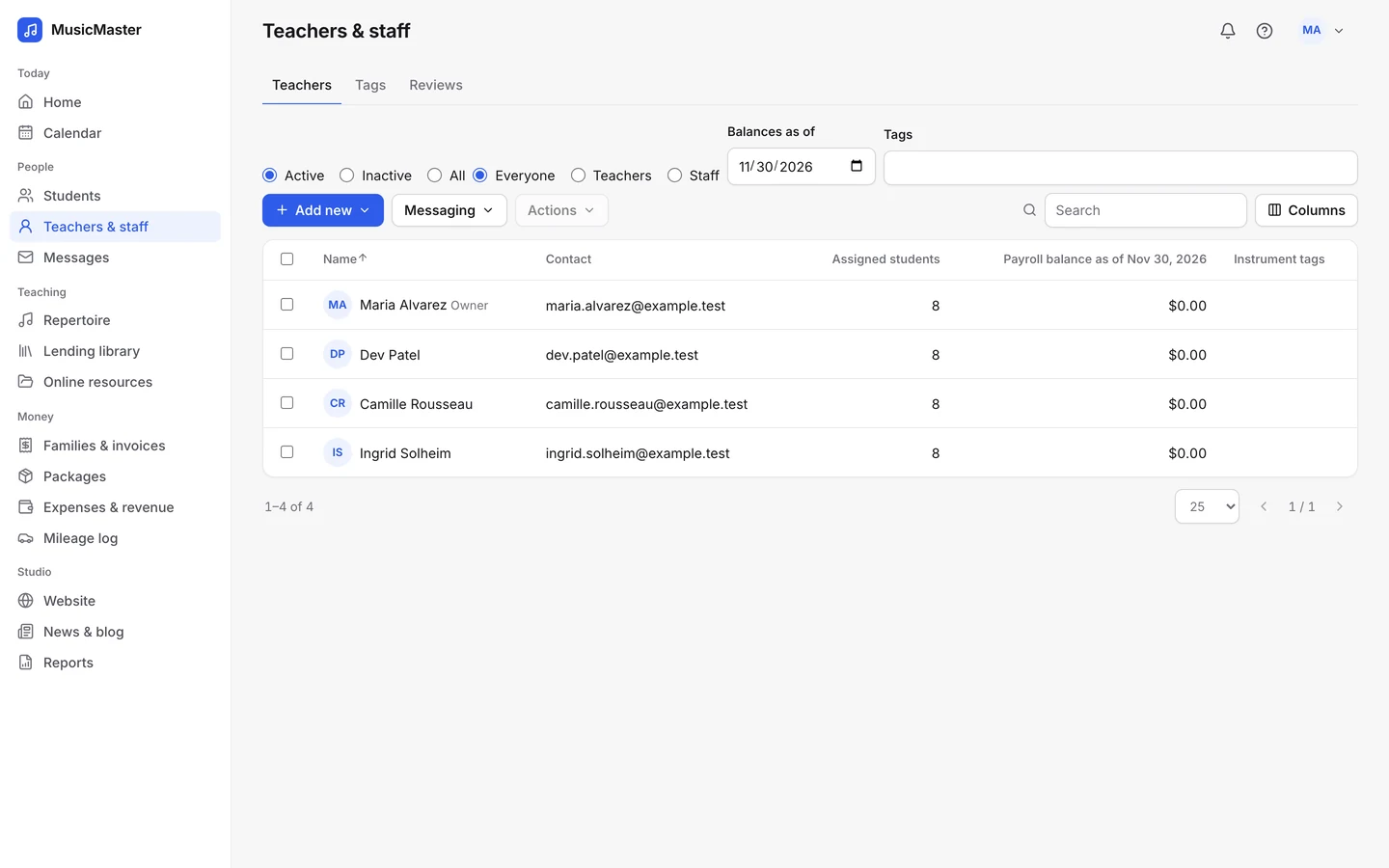
Each teacher sets the hours they teach and whether families can book them online.
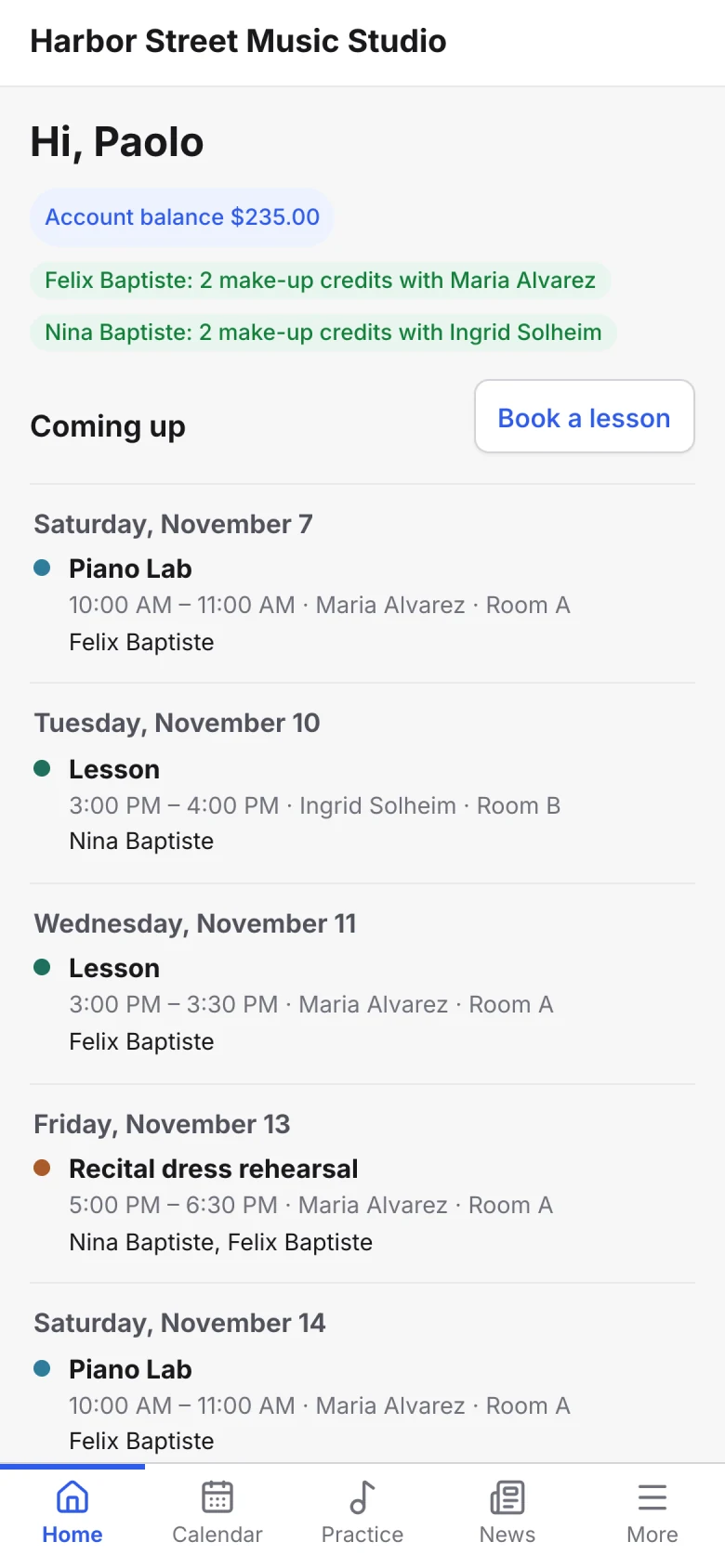
With your permission, parents keep their own contact details up to date in the family portal.
The Sonely team
Family portal
Family portal
Send logins to many families at once. Parents see all their children in one place: lessons, invoices, practice and your notes.
One studio system
Lessons, attendance, invoices, messages and practice all hang off the same student record, so you always see the whole picture.
Bring your list over from a CSV or Excel file, matching the columns as you go.
Sonely spots a family that’s already there and offers to link it.
See birthdays on the calendar and send a birthday email.
Choose who gets lesson reminders by email or text, for many students at once.
Invite families to the portal, or turn their access off.
See how many students stayed, left and joined between two dates.
For anything else, contact us.
Import a CSV or Excel file. Sonely matches your columns, shows a preview so you can fix any rows, and lets you choose each student’s status and teachers.
No. Students and families are unlimited on every plan. You pay for teacher, admin and staff logins.
Yes. Siblings share one family account and one balance, and a parent sees all their children in the family portal.
Yes. An adult student can be their own contact, get their own invoices and sign in to the family portal.
You decide. Each teacher and staff member has permissions for other teachers’ events, email addresses, phone numbers and addresses, and for editing students and families.
Take them off their upcoming lessons, then set them to Inactive. Their history stays, and their family portal login stops working.
Students & families is part of every Sonely plan. Add as many students and families as you teach; you pay only for teacher, admin and staff logins.
Unlimited students and families
Included
See pricingLook around a sample studio where 31 students and 23 families are already set up.
Open the demo studio
Ask us anything about running your studio on Sonely. Real people read and answer.
Contact us about Sonely
Every update we ship, in one place. See what changed in each release.
Read the changelog