Lend books and share files with every family
Keep a lending library of books, instruments and equipment, and share sheet music, tracks and worksheets that families open in the portal.
Lending library
Know who has every book and instrument.
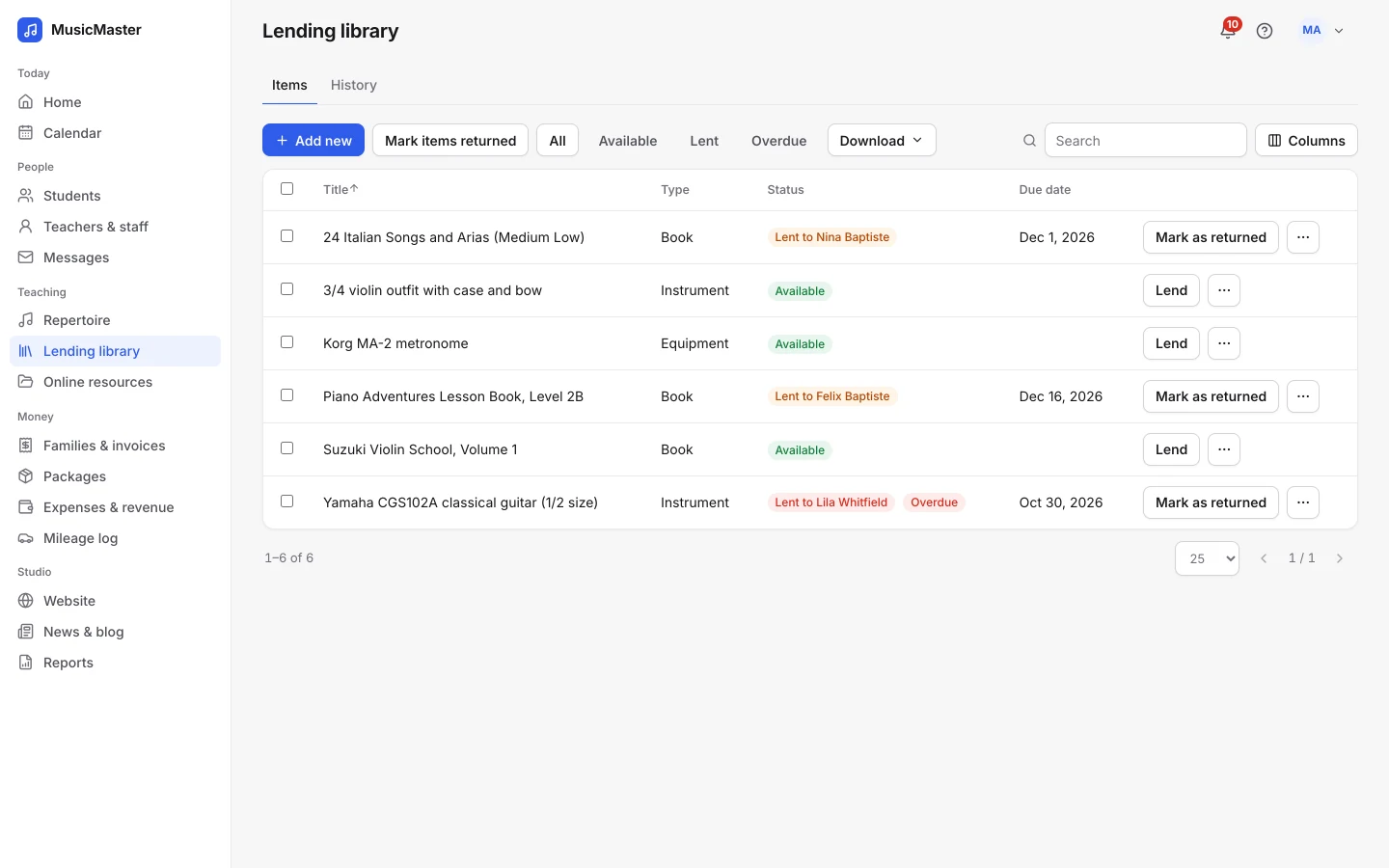
Lend items to students, set a due date, and see at a glance what’s out and what’s back.
Lend it, then get it back.
Add books, instruments and equipment with the publisher or serial number. Lend an item to a student with a due date, and mark it returned when it comes back, one at a time or several together.
Anything past its due date gets a red Overdue chip, and the History tab keeps every loan, ready to download as a spreadsheet.
Families see what they have, and what they can borrow.
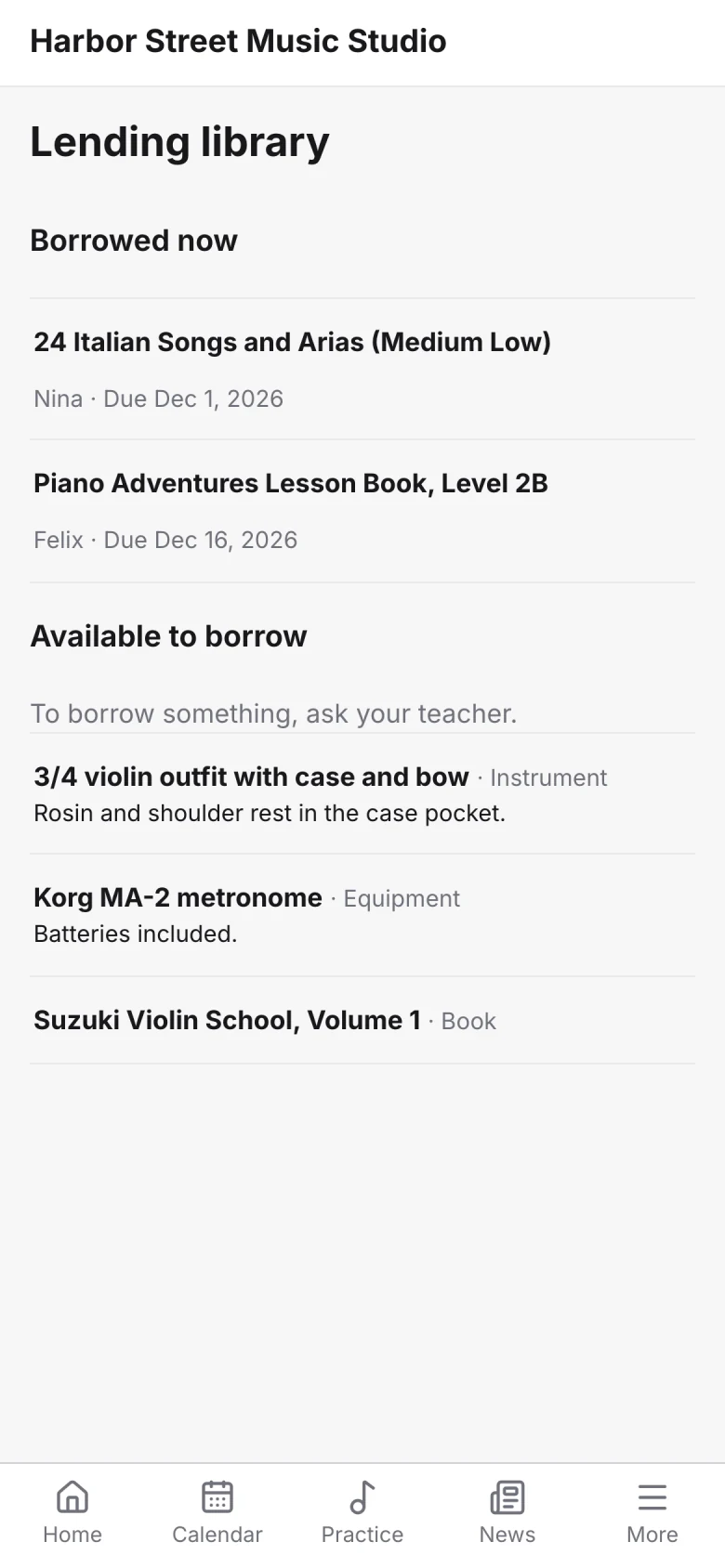
In the family portal, families see what they’ve borrowed and when it’s due, and what’s free to borrow, with your note for each item. Your private notes stay private.
Online resources
Share what students need between lessons.
Sheet music, practice tracks, worksheets and videos, in spaces that families open from the portal.
A shared space, and one for each teacher.
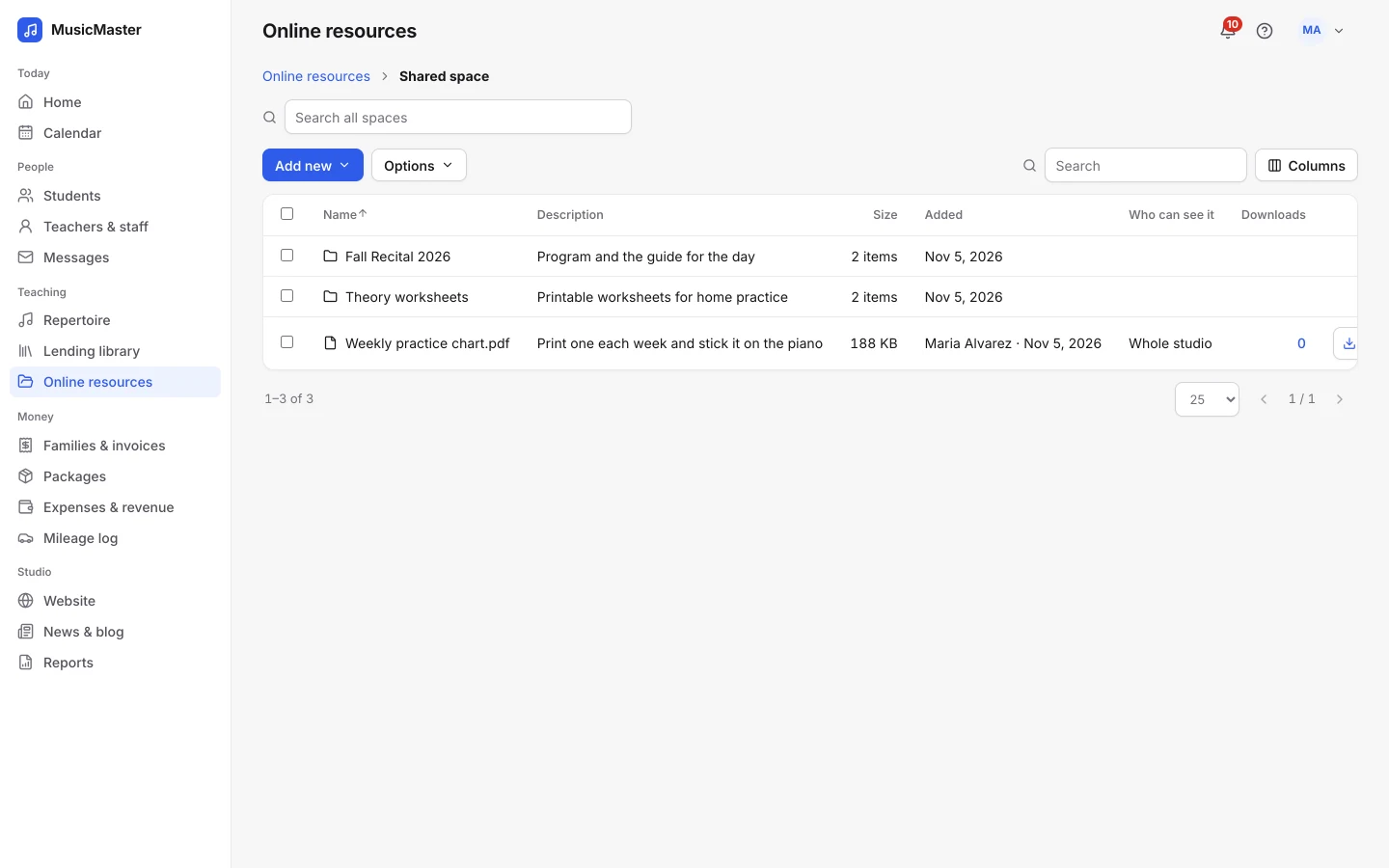
Put studio-wide files in the Shared space and let each teacher keep a space of their own, with folders for recitals, theory or anything else.
Share each file with the whole studio, with chosen students or with a group tag. When a student joins the tag, they see its files straight away.
Tracks that play in the portal.
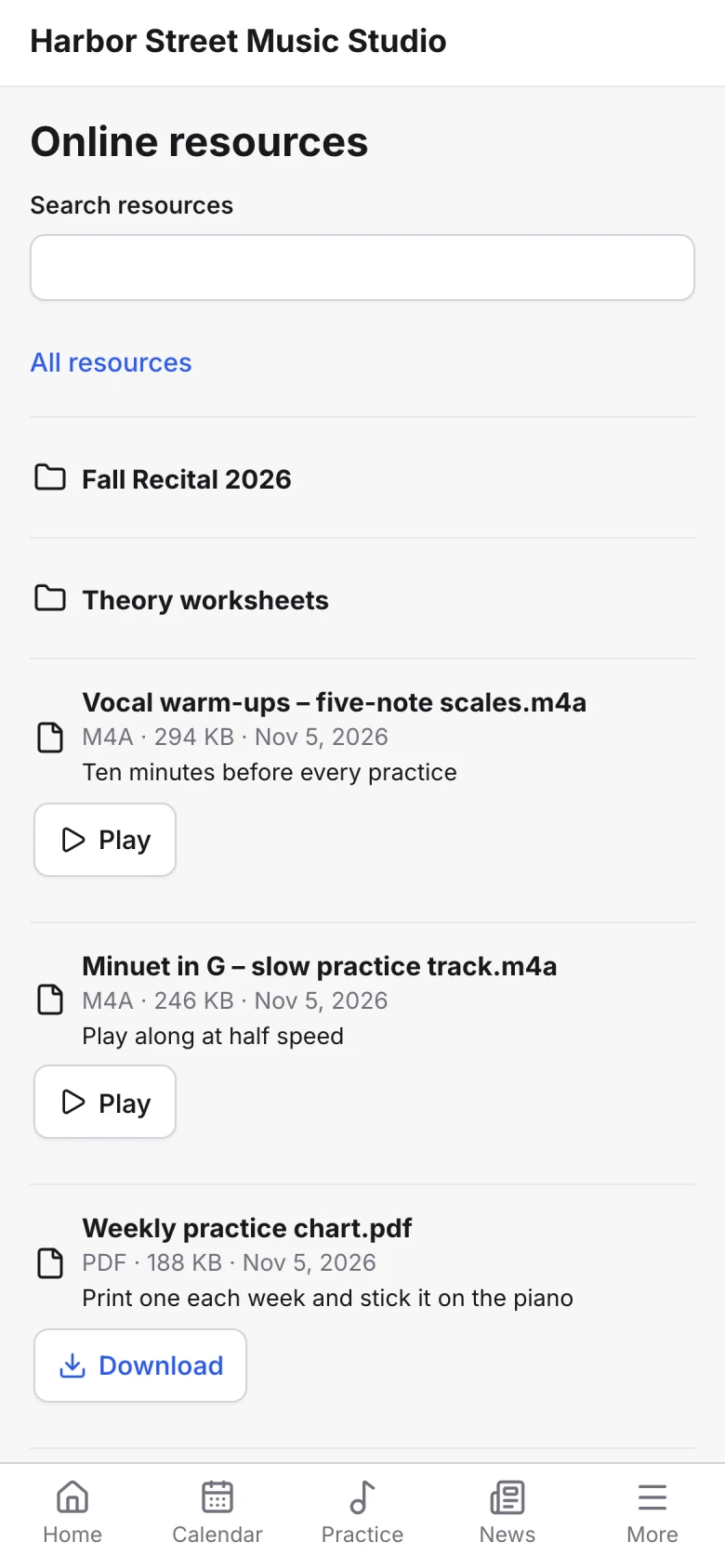
Audio and video play right in the family portal, and PDFs download with a tap. The Downloads column shows how often families have opened each file.
In the family portal
Everything they borrow and everything you share.
Families find both under More in the portal, on any phone or computer.
One place for families to look.
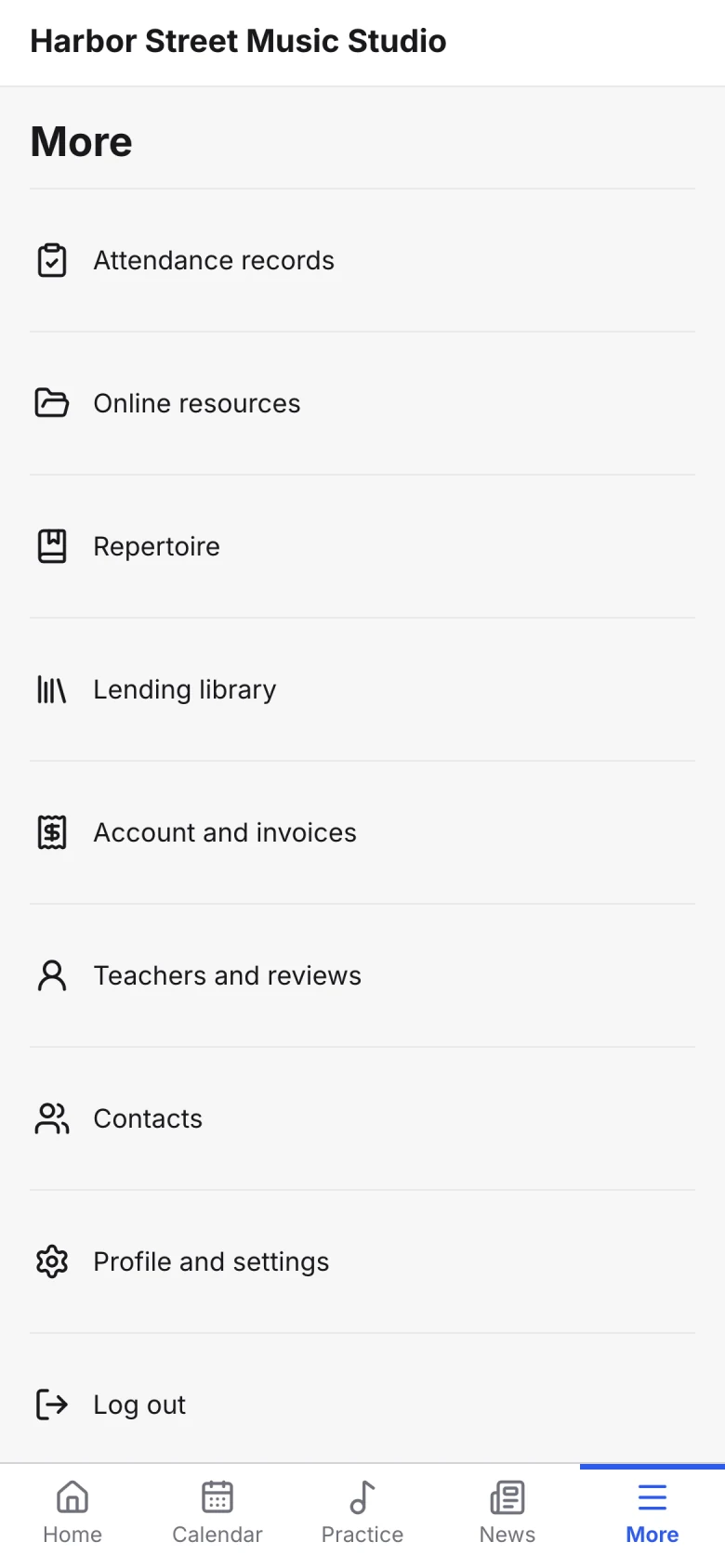
The portal’s More menu holds the lending library and online resources next to attendance records, repertoire, invoices and the studio’s contacts.
Frequently asked questions about the library and resources
For anything else, contact us.
Books, instruments and equipment. Each item can have a publisher, a serial number, a note for families and a private note.
Items past their due date get a red Overdue chip, and you can show only the overdue items with one click.
Audio files such as MP3, M4A and WAV and videos such as MP4 and WebM play in the portal. Other files, like PDFs, download.
Yes. Every teacher has a space of their own, and the studio has a Shared space. Teachers add files to their own space, and admins can work in all of them.
Yes. Files are shared through the family portal, so families see them once they’ve signed in with the login you send them.
Plans and pricing
Library & resources is part of every Sonely plan, including the free one. Sonely is free for one teacher, and each extra teacher, admin or staff login is $12 a month. Students are unlimited.
Every book, every file
Included
See pricing