Sonely for private teachers
Plan your week, teach your students
From the first lesson to the last invoice, Sonely keeps your students, schedule and payments in one place, so your time goes to teaching.
Works with
the tools you already use
- Stripe
- PayPal
- Google Calendar
- Apple Calendar
- Outlook
One teacher, every student
Made for the teacher who does it all.
Every studio is different. You might teach piano at home, voice in a rented room or guitar in families' living rooms. Sonely fits the way you already teach.
Set each student's lesson length, price and billing once. The calendar, invoices and reminders follow from there.

Invoices go out on their own, reminders reach families before each lesson, and make-up credits keep count for you.
Makers of Sonely
Lesson calendar
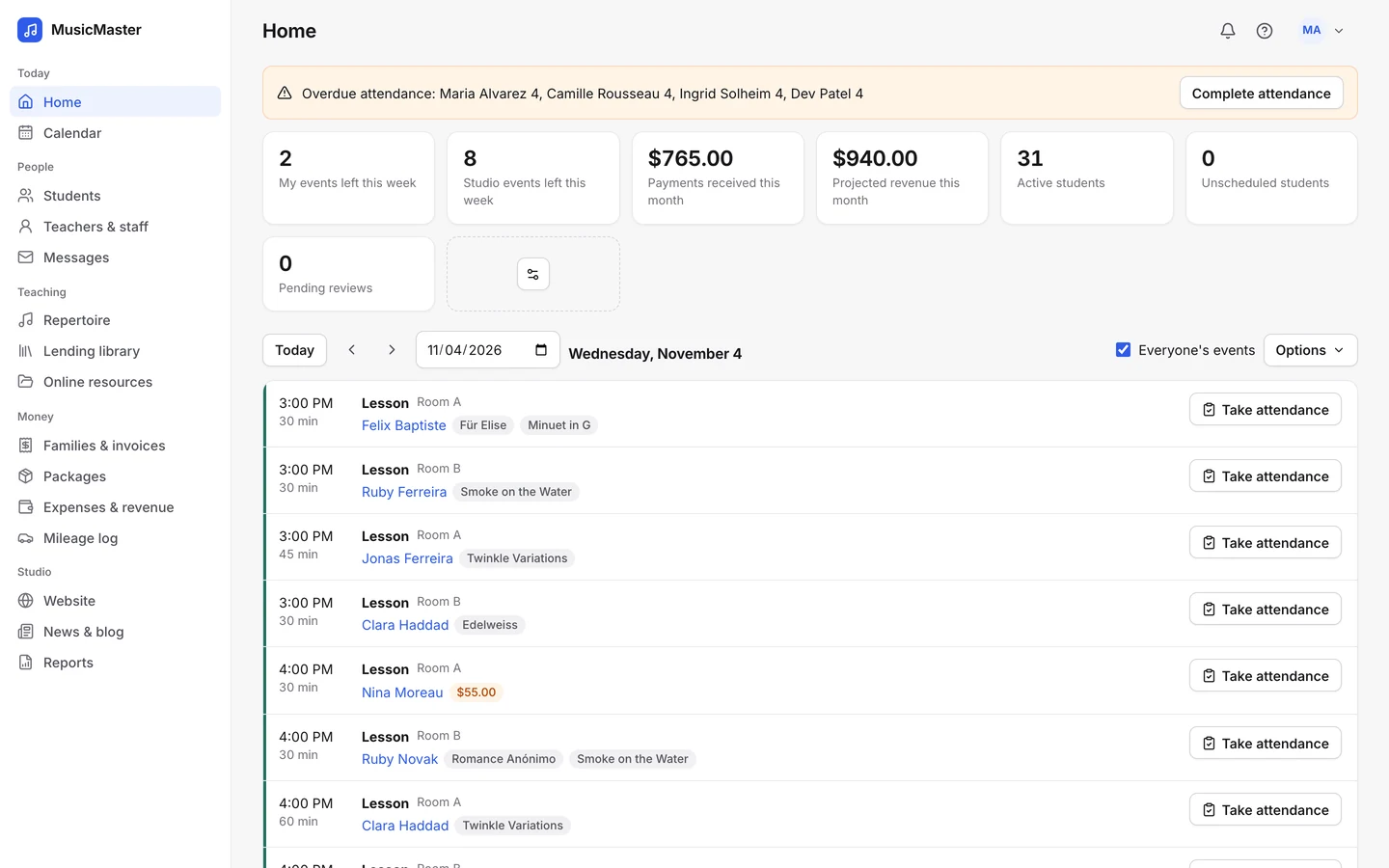
See your whole teaching week
Add a weekly lesson once and it repeats until you say stop. Month, Week, Day and Agenda views show what's next, with birthdays marked on the day.
Mark holidays as blocked dates, and new weekly lessons skip them.
Attendance and notes
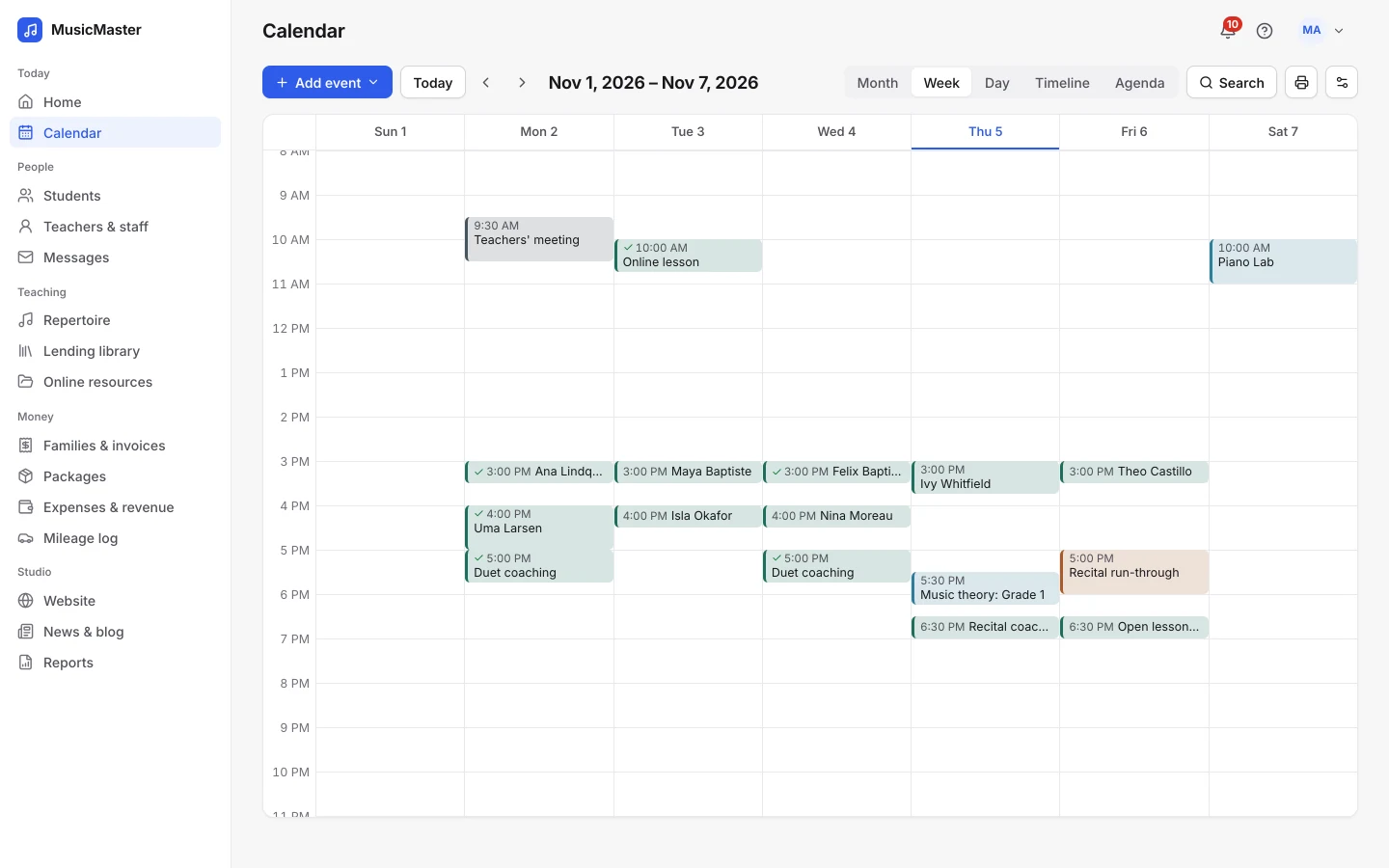
Record each lesson in one place
Mark a lesson Present, Late, Absent or Cancelled, and choose whether it's billed or earns a make-up credit. Ten statuses cover the cases a teacher meets.
Write notes for the student and private notes for yourself. Copy last week's notes forward, or start from a template.
Invoices and payments
Get paid without chasing anyone
Invoices build themselves from the lessons on your calendar.

Auto-invoicing
Invoice each family every week or month, for lessons ahead or past.

Online payments
Families pay by card or bank through your own Stripe or PayPal account, or on auto-pay.
Late fees and reminders
Add late fees and send overdue reminders by email or SMS.

Packages
Sell a block of lesson time and use it up lesson by lesson.
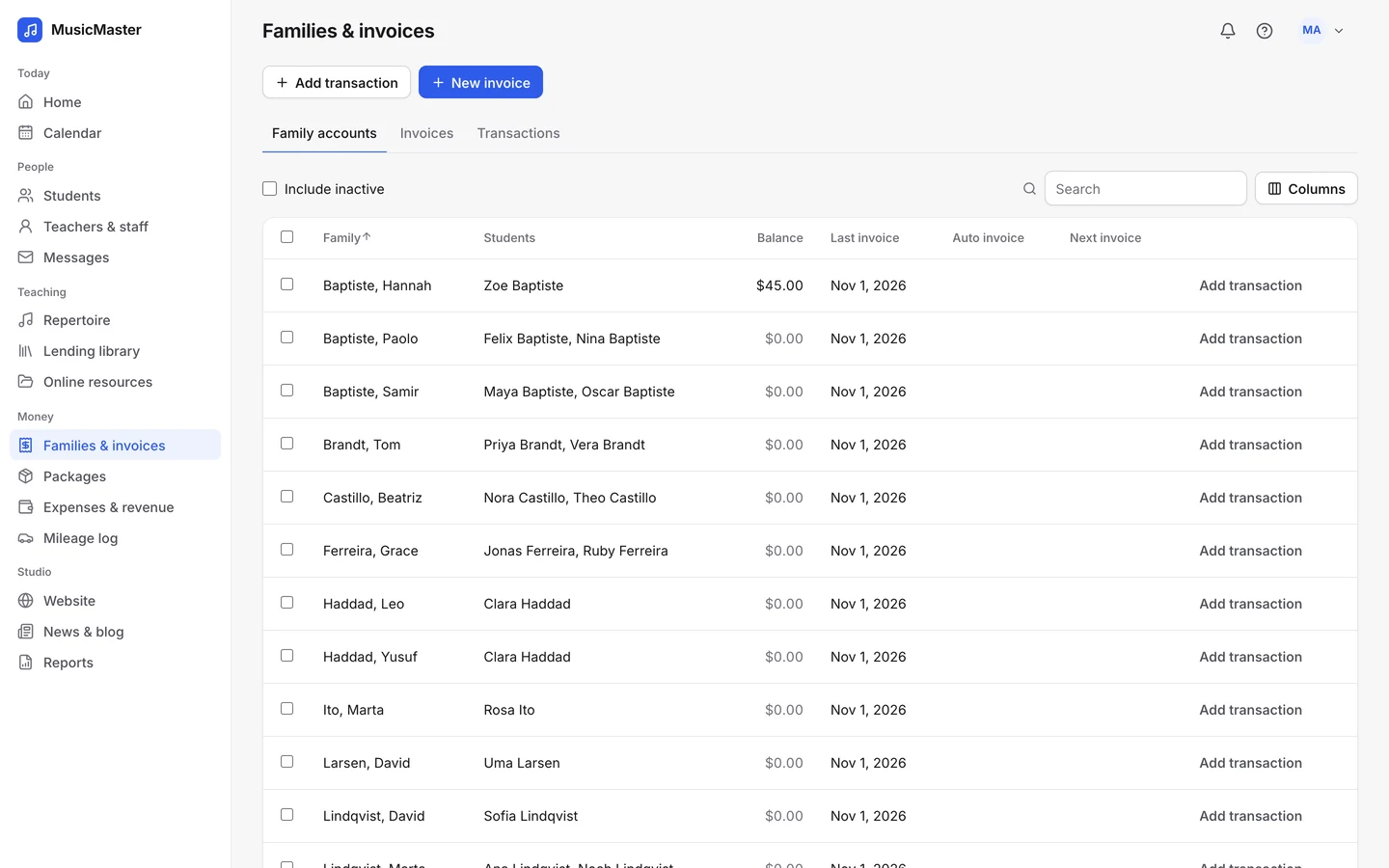
Families see what they owe, pay online and book their make-ups. You stop being your studio's bookkeeper.
Makers of Sonely
Go from lessons to a studio
Give families one place to see their schedule, practice between lessons and pay.
Family portal
A portal for every family
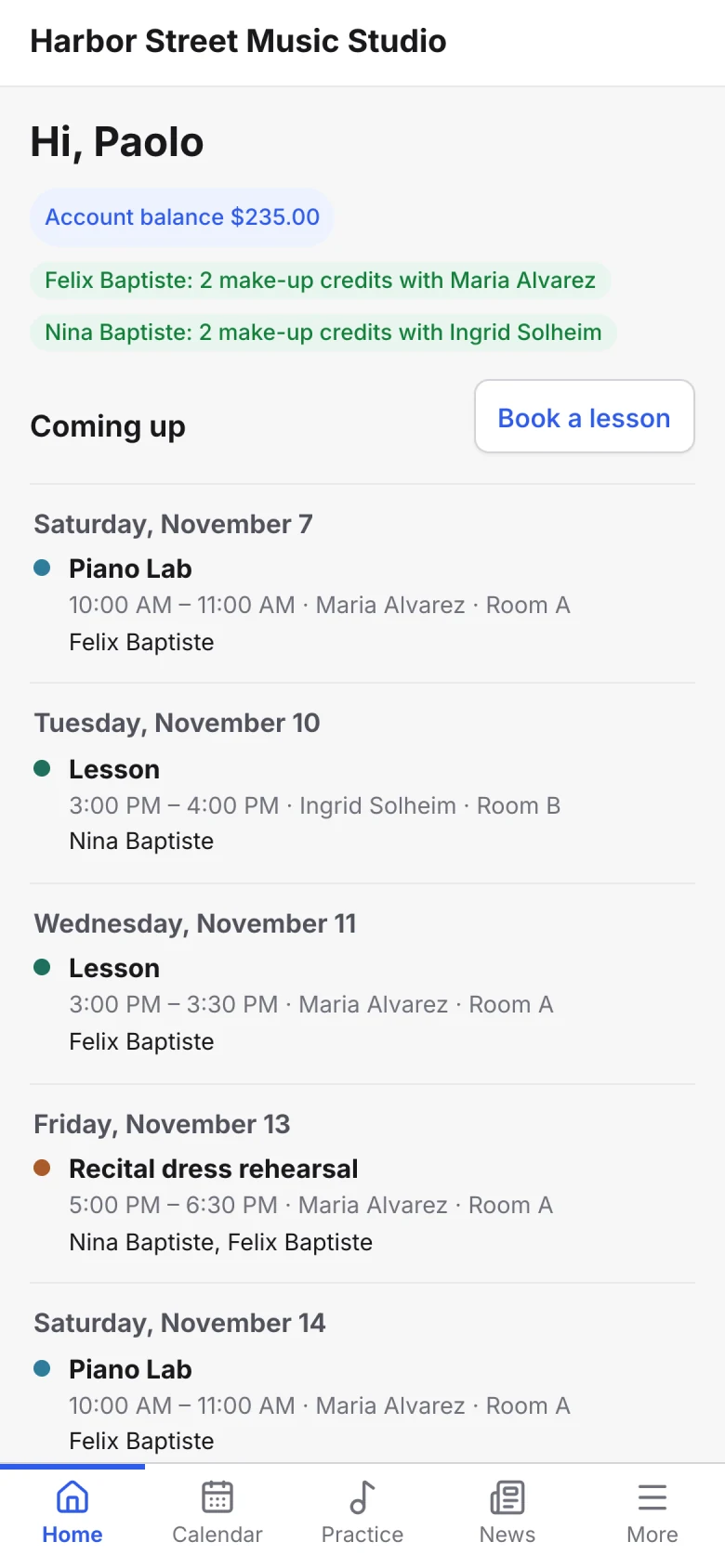
Each family signs in to see upcoming lessons, invoices, make-up credits and the pieces their child is learning. It works in any phone browser, so there's nothing to install.
Your studio's name and brand color are on it, not ours.
Booking and cancellations
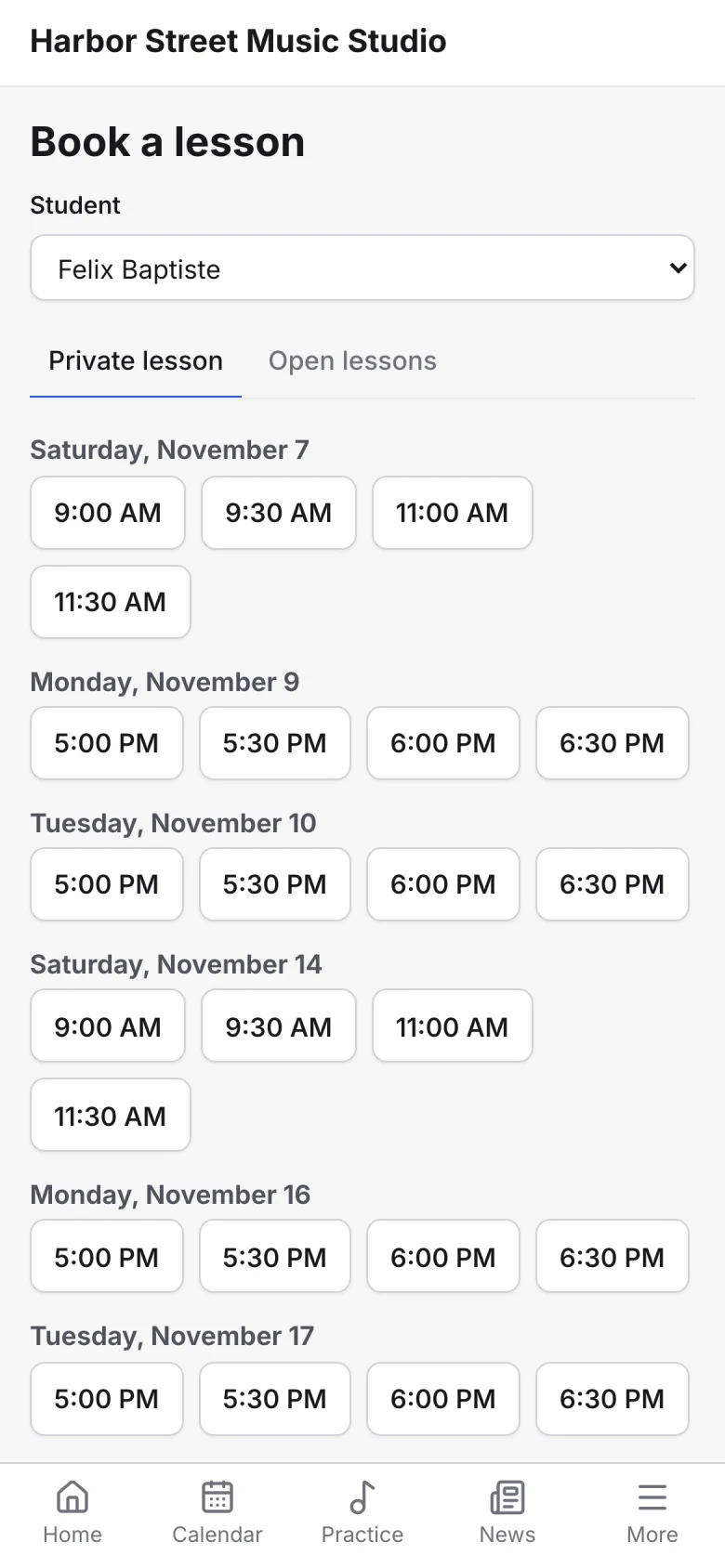
Let families book within your rules
Set your weekly availability and families can book from it, at the start times, minimum notice and booking window you choose.
Set a cancellation deadline and decide what happens before and after it, such as issuing a make-up credit.
Reminders
Remind families before every lesson
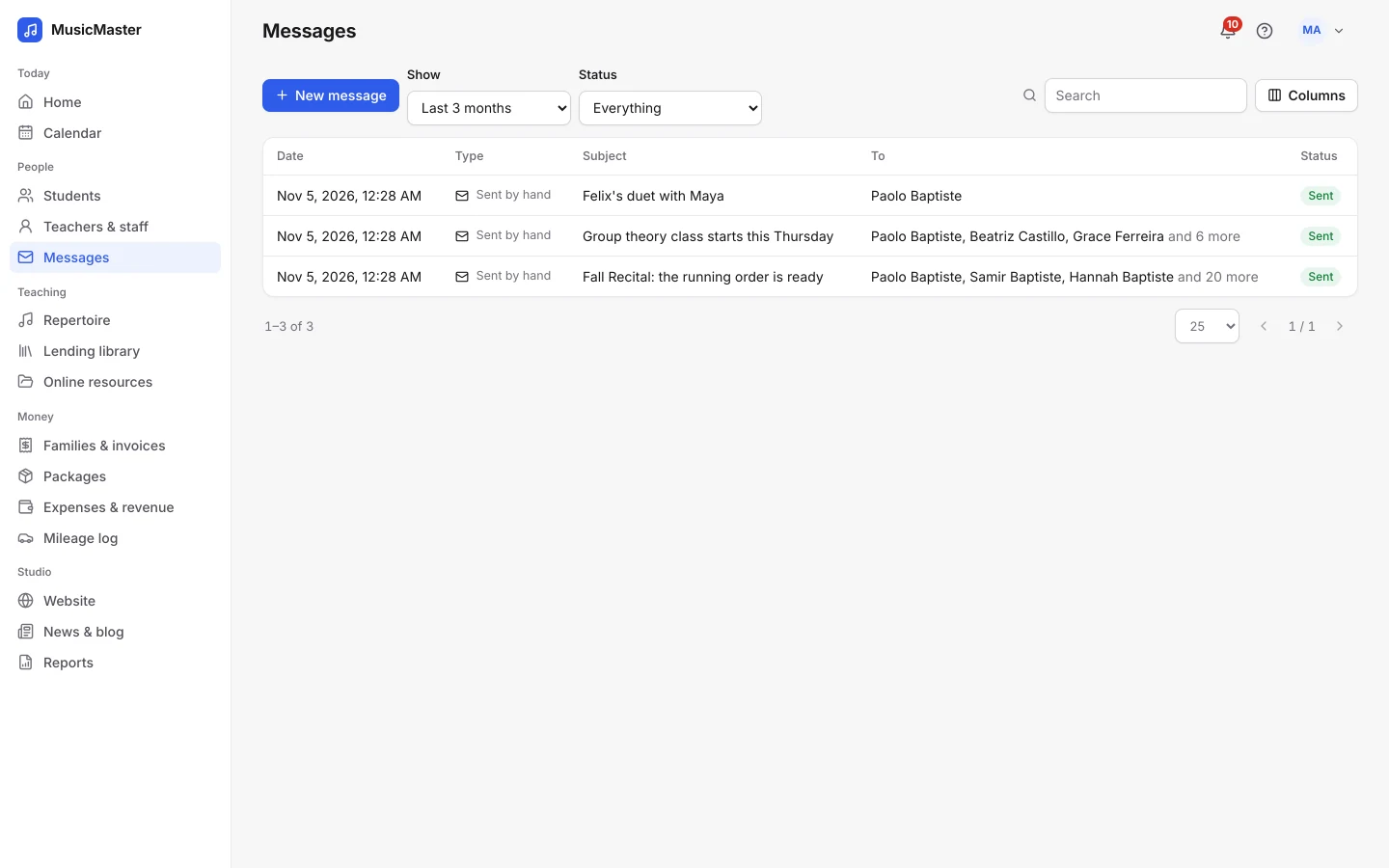
Lesson reminders go out by email ahead of each lesson, and by text too for families who allow it.
Write messages once with placeholders like StudentName and TeacherName, save them as templates, and send them now or later.
Works with
Connect the tools you already use
Take card and bank payments through your own Stripe or PayPal account, see your lessons in the calendar on your phone, and count sign-ups from your own site in Google Analytics.
See integrations
Practice log
Help students practice between lessons
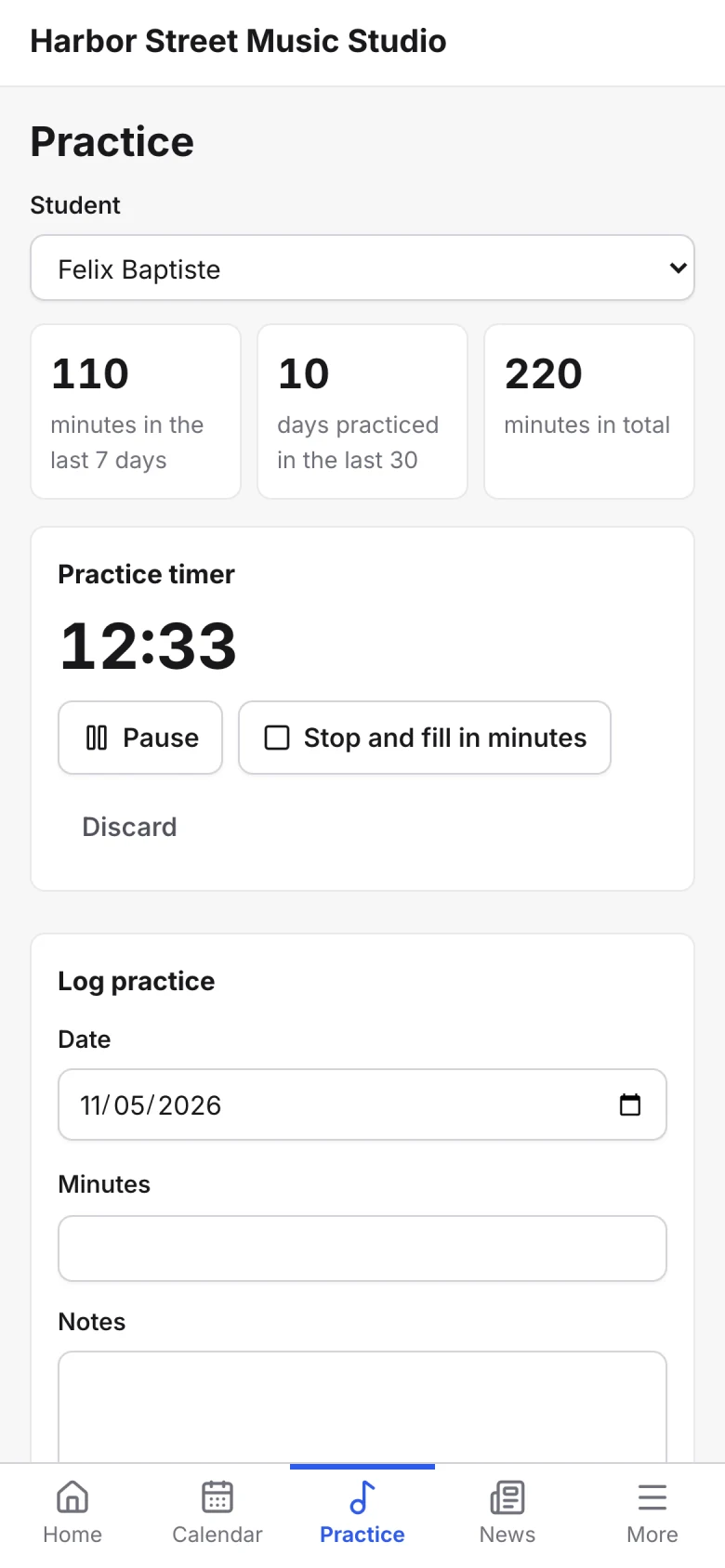
Students log practice from their phone with a timer, and can attach a recording, a photo or a PDF. You see the minutes add up before the next lesson.
Repertoire
Keep track of every piece
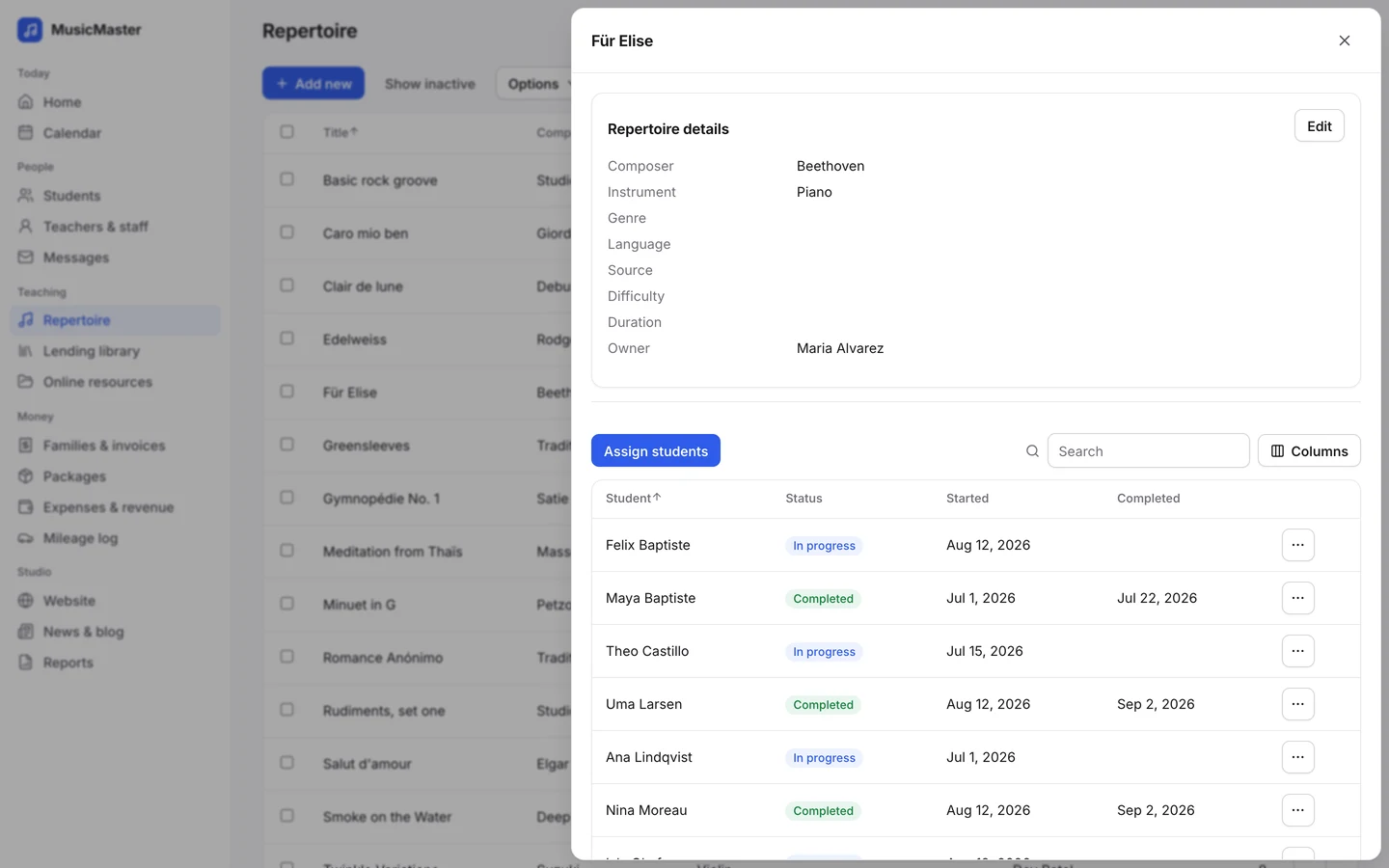
Build a library of pieces with composer, instrument and difficulty. Assign them to students and mark each one in progress or completed, so you both see how far they've come.
Your website
Put your studio online in an afternoon
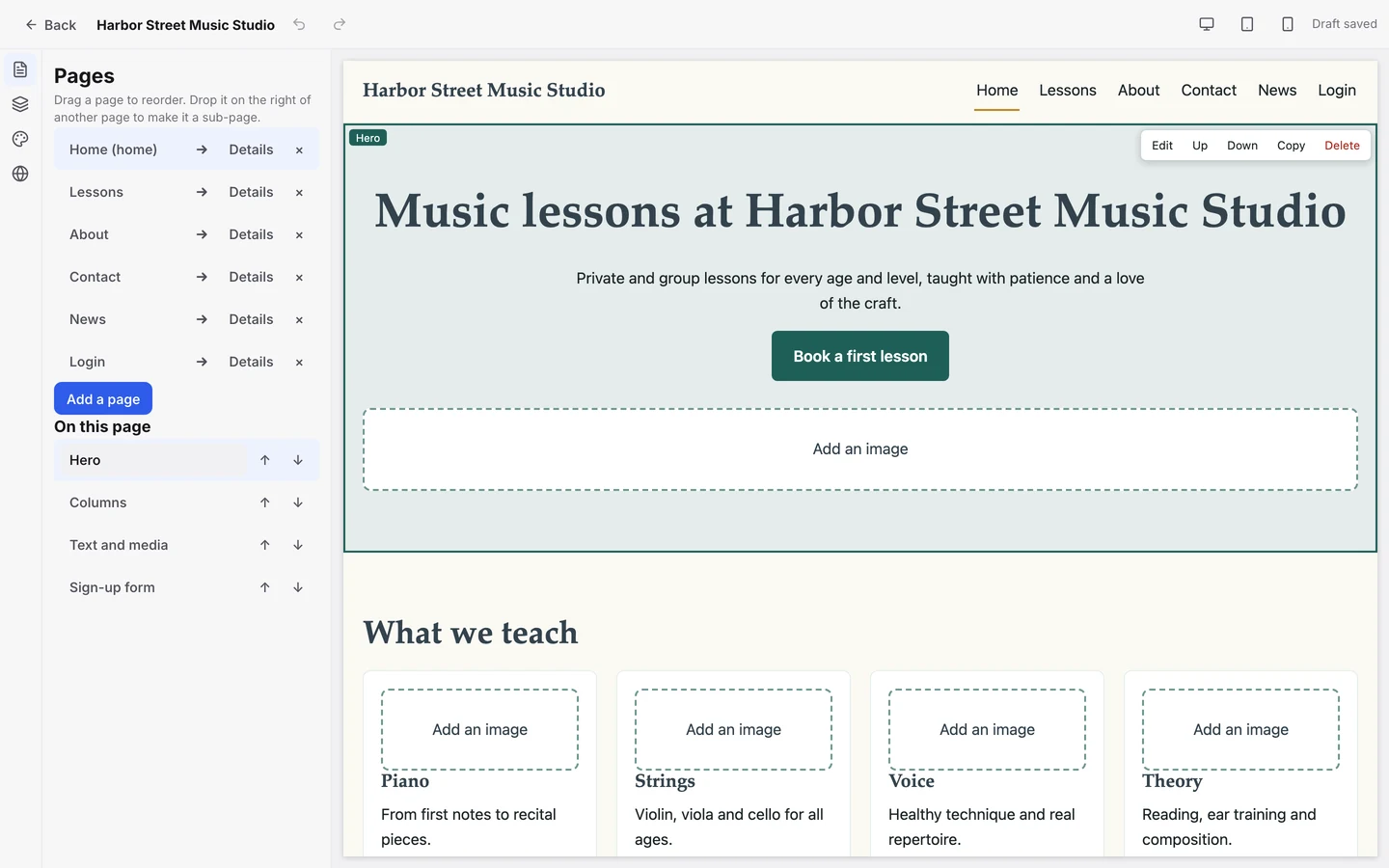
Pick a template, add your words and photos, and publish on your own domain. A sign-up form puts new students straight on your list.
Reports
Know where your studio stands
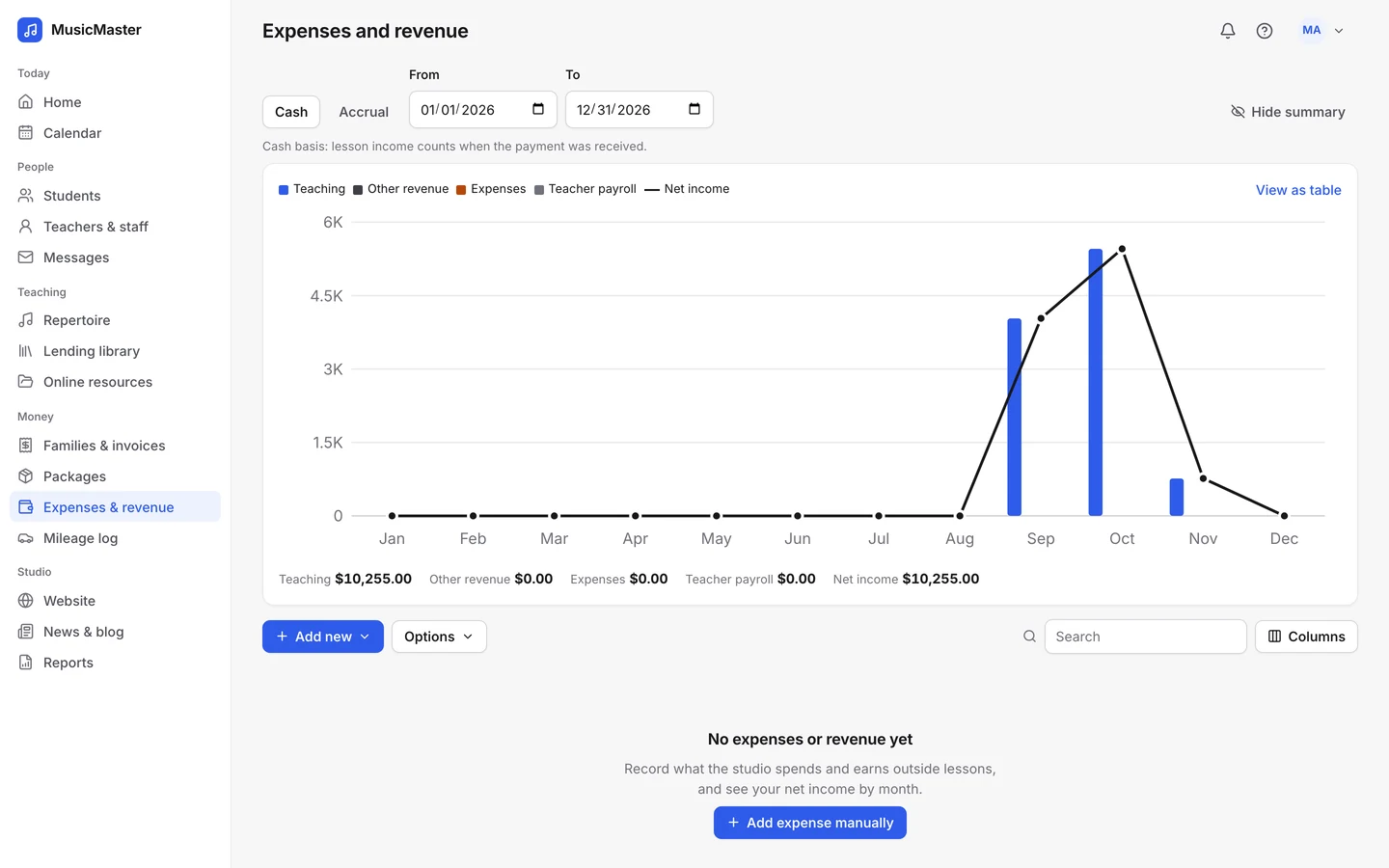
Download reports on revenue and expenses, lessons taught, attendance and more, as PDF or Excel.
Log expenses as they happen and keep a mileage log for the drive to students' homes, so tax time is quicker.
Spend less time on admin. Spend it on teaching.
The work behind the lessons takes hours every week. Sonely gives you a lot of it back.
- Free for one teacher, no card needed
- Schedule weekly lessons
- Take attendance in a few clicks
- Track make-up credits
- Send invoices automatically
- Take payments online
- Remind families by email and SMS
- Share lesson notes with families
- Let families book and cancel within your rules
- Log practice and repertoire
- Build your studio website
- Download reports for tax time
Frequently asked questions for private teachers
For more questions, contact us.
Sign up free: one teacher is free for good, with every feature and no card needed. Add your students, or import them from a spreadsheet, set each one's lesson length and price, and put their weekly lessons on the calendar. The getting started guide takes you through it.
No. One teacher is free, and your students are unlimited. Start with the calendar and invoices, and pick up the portal, practice log or website when you're ready.
Yes. Connect your own Stripe or PayPal account and families can pay invoices online from their portal or a payment link. Card details are held by your payment processor, never by Sonely. You can also record cash, check and bank transfer payments.
When you mark a lesson "Absent, issue make-up" or "Cancelled, issue make-up", the student earns a credit with you. Use it on a later lesson, or let families book a make-up time themselves. You can limit how many credits a family holds and let unused ones expire.
No. Sonely is a web app. You use it in your browser on a computer, tablet or phone, and families open the portal in any phone browser. You can also send your lessons to Google Calendar, Outlook or Apple Calendar.
Yes. Add each place as a location, such as your studio, a student's home or an online meeting link, and choose one for each lesson. Reminders can include the address or the link.
Try the demo
Look around a sample studio with students, lessons and invoices already in place.
Open the demo studio
Talk to us
Ask us anything about running your studio on Sonely. Real people read and answer.
Contact us about Sonely
See what’s new
Every update we ship, in one place. See what changed in each release.
Read the changelog