Quick answer
A music teacher website that books students needs six pages: a home page that says what, who and where you teach, lessons and rates, an about page, studio policies, a booking or trial lesson page, and contact. Put your town and instruments in page titles, set up a Google Business Profile, and let families book a first lesson online without emailing you first.
Key takeaways
- A music teacher website needs six pages: home, lessons and rates, about, policies, booking or trial lesson, and contact.
- The home page should say what you teach, who you teach and where in the first screen, with one button that goes to booking.
- Show your prices: a rates page without them makes families write to you just to find out whether you fit their budget.
- Google says local results depend mainly on relevance, distance and prominence, and it prohibits offering anything, such as a free lesson, in exchange for a review.
- Give every page its own descriptive title with the instrument and your town, plus your studio’s name at the start or end.
On this page
- What pages does a music teacher website need?
- What should the home page of a music studio website say?
- Music teacher website examples by type of studio
- How do you write the lessons and rates page?
- What goes on the about page?
- What should the policies page cover?
- How do you let families book a trial lesson online?
- What goes on the contact page?
- How do families find a music teacher website on Google?
- Which other websites should a music teacher use?
- Should you use a website builder or your studio software’s website?
- A launch checklist for your music studio website
- Questions
A music teacher website that books students does three things quickly: it says what you teach, who you teach and where, it shows what lessons cost, and it lets a family book a first lesson without writing to you first. Most studios need six pages to do that: home, lessons and rates, about, policies, booking and contact. Everything else is optional.
What pages does a music teacher website need?
A studio site needs six pages, and each has one job. Parents arrive with three questions: do you teach my child’s instrument, can we afford it, and is there a time that works? Every page should answer one of them or move the family closer to booking.
| Page | Its job | What to put on it |
|---|---|---|
| Home | Say what, who and where you teach in one screen | Instruments, ages and levels, your town (or “online”), one button to book |
| Lessons and rates | Answer “what does it cost?” | Lesson lengths, prices or starting prices, what tuition includes |
| About the teacher | Build trust | Training, experience, how you teach, a real photo |
| Policies | Set expectations before the first lesson | Payment, cancellations, make-ups, holidays |
| Booking or trial lesson | Turn a visit into a lesson | A booking or sign-up form and what the first lesson is like |
| Contact | Catch the questions | A short form, your email, the area you serve, your teaching hours |
If you teach several instruments, give each one a short page of its own (piano, guitar, voice). A parent looking for guitar lessons lands on a page about guitar, and each page can carry a title for one instrument in your town.
What should the home page of a music studio website say?
The home page should tell a parent, in the first screen and without scrolling, what you teach, who you teach and where. A photo of you teaching a real student does more than a stock photo of piano keys. Put one button near the top that goes to booking, and repeat it at the bottom of the page.
Piano and voice lessons in Springfield
For children from age 6, teens and adults. In my home studio near Elm Park, or online.

[Book a trial lesson]

- Weekly 30, 45 and 60-minute lessons
- Two student recitals a year
- Lesson notes sent to parents after every lesson
Below that, three short blocks are enough: what a lesson is like, who your lessons suit (young beginners, returning adults, exam students), and a quote from a parent if you have one. Ask the family before you publish it, and use their words, not a polished version.
Music teacher website examples by type of studio
The six pages stay the same for every studio. What changes is the first line of the home page and one detail each kind of studio can’t leave out.
| Studio | Home page headline | What the site must add |
|---|---|---|
| Home studio | Piano lessons in Elm Park, Springfield | The neighborhood rather than the street address, and photos of the teaching room |
| Lessons in students’ homes | Guitar lessons in your home, across north Springfield | The area you travel to, and any travel fee on the rates page |
| Online only | Online voice lessons on Zoom, wherever you live | Lesson times in the family’s time zone, and the camera, mic and connection a student needs |
| Several teachers | Music lessons for every age at Elm Park Music School | A short page per teacher, and booking that starts with the instrument |
If you teach only online, our guide to teaching music lessons online covers the setup behind that last promise.
How do you write the lessons and rates page?
Show your prices. Families compare teachers, and a page without prices makes them write to you just to find out whether you are in their budget. Some won’t bother. If your pricing has many options, show a starting price and the lesson lengths, and put the full list on the page. Our guide on how much to charge for music lessons covers how to set the numbers.
Say what tuition includes, because that is what makes a price read as fair.
Lessons and rates

Weekly private lessons, billed monthly.
30 minutes: $[amount] a month
45 minutes: $[amount] a month
60 minutes: $[amount] a month

Tuition covers every scheduled lesson in the month, two studio
recitals a year and written notes after each lesson. Books are
extra and appear on your first invoice.

New students start with a 30-minute trial lesson.
[Book a trial lesson]
If you teach group classes too, list them on the same page with their own price per student, term dates and class size, so families can compare the two at a glance.
Explain how students progress
Parents pay for progress, so the lessons page should say what a student learns in the first months, how you set goals and how the family will see it working. Name the method books or exam program you follow, if any, and say whether you teach from notation, chord charts or by ear.
How lessons work

First month: posture, the first notes and two short pieces.
Every week: one new piece, one review piece and a technique goal,
in written notes you get after each lesson.
Every term: a goal we agree on together, such as a recital piece,
an exam or a song the student picks.
Twice a year: a studio recital, so every student plays for an audience.
Then keep the promise between lessons. In Sonely’s family portal, families read your lesson notes, see each child’s pieces with their status, and log practice, so the progress the website describes is something parents can check.
What goes on the about page?
The about page should tell a parent why their child will be in good hands, in under 250 words. Lead with what you teach and how you teach it, then add your training and experience. Write in the first person, as you would talk at a first lesson.
Hi, I’m [name]. I’ve taught piano and voice in Springfield for
[number] years, mostly to beginners from age 6 and to adults
coming back to music.

Lessons with me mix pieces students choose with the reading,
technique and theory that let them learn music on their own.
Every student plays in two recitals a year, and every parent
gets a short note after each lesson.

I studied [degree or training] at [school], and I’m a member of
[association]. When I’m not teaching, I [one human detail].
Add a clear, friendly photo and anything a parent will want to know: which ages you most enjoy teaching, whether you prepare students for exams, and any background check or safeguarding training you hold.
What should the policies page cover?
The policies page should say, before the first lesson, how payment works, what happens when a student misses a lesson, when make-ups are offered and which weeks the studio is closed. Families take a policy more seriously when they read it before signing up than when they first meet it in a dispute. Our music studio policy template has wording you can copy.
On the website, a summary with a link to the full policy works well:
Studio policies at a glance

- Tuition is billed monthly and due on the [day] of the month.
- Cancel at least [24] hours ahead to receive a make-up credit.
- Make-up credits expire after [60] days.
- No lessons on [holidays and breaks].

Read the full studio policy before you book.
How do you let families book a trial lesson online?
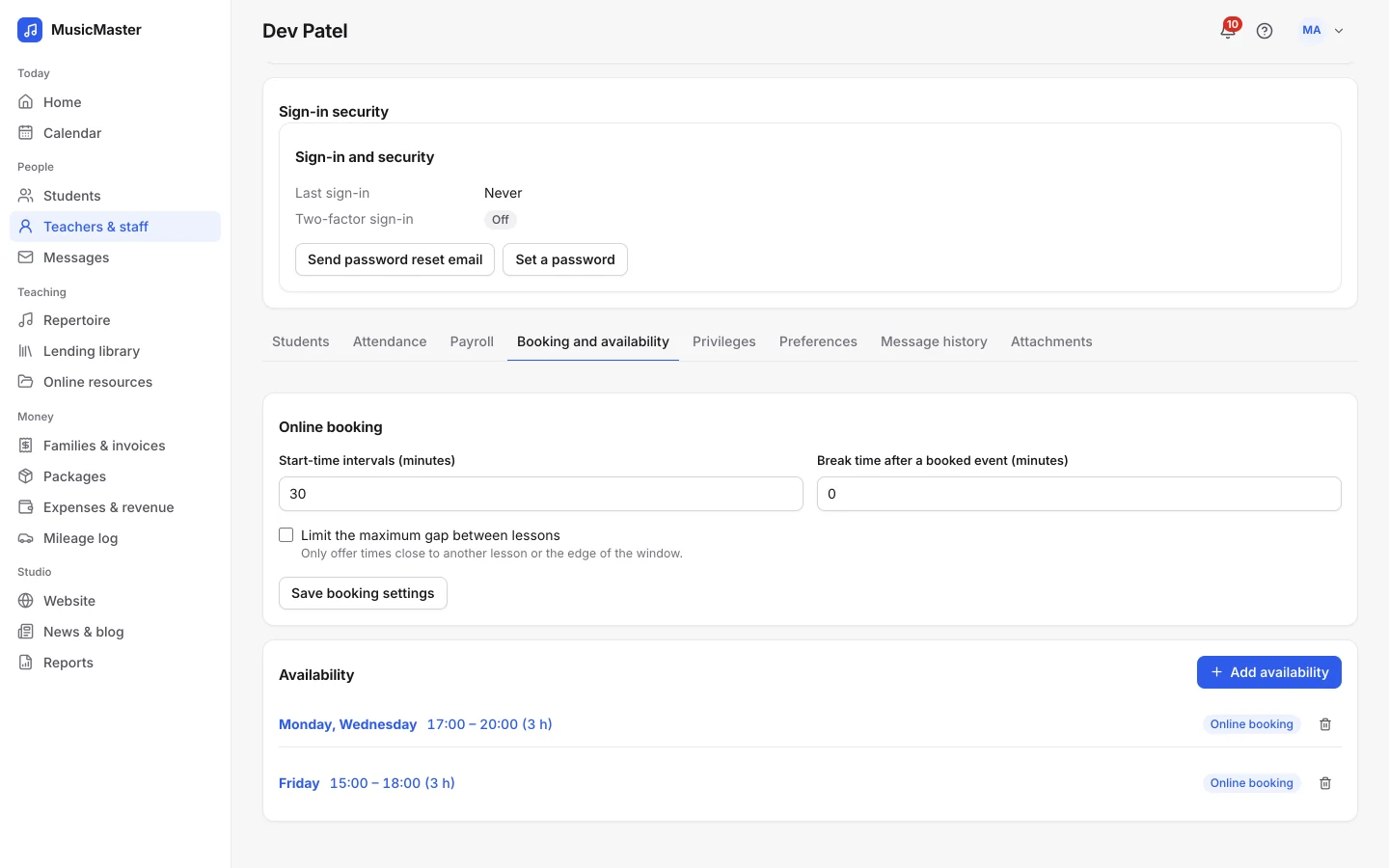
Online booking puts a lesson on your calendar while the parent is still interested, often in the evening while you are busy teaching. There are three ways to take a first booking, from the most manual to the most automatic.
| Method | How it works | Good for | Downside |
|---|---|---|---|
| Contact form | The family writes, and you reply with times | Teachers with a waitlist | Email back and forth; a family who waits a day may book someone else |
| Sign-up form | The family fills in student details, and you schedule | Studios that place students by level | You still have to find and confirm a time |
| Booking form | The family picks a free time from your availability | Filling open slots | Your availability has to stay up to date |
Decide whether the trial is free or paid. A free trial lowers the bar for families who are unsure. A paid trial pays you for the time and brings families who have already decided to try. Either way, say on the page what happens at the trial: how long it is, what the student will do and what the parent hears from you afterwards.
In Sonely, a Book from availability form lets a family choose an instrument, a teacher and a free time, and the lesson goes straight onto the calendar. The first lesson can be free, discounted by a percentage or paid at booking through your own Stripe or PayPal account, and you can hold a weekly time for a new family while they decide. See sign-up forms and online booking.
What goes on the contact page?
Keep the contact page short: a form that asks for name, email, phone, instrument, student age and a message, plus your email address, the area you serve and your teaching hours. If you teach at home, the neighborhood is enough here. Send the street address once a lesson is booked.
How do families find a music teacher website on Google?
Local search has two parts: your Google Business Profile, which is what shows on the map, and your website. Searches like “piano lessons near me” bring up Google’s local results, so a teacher needs both.
Set up a Google Business Profile
Google says local results are based mainly on relevance, distance and prominence. Relevance is how well your profile matches the search, distance is how far you are from the person searching, and prominence is partly based on how many websites link to your business and how many reviews you have. Google’s own tips are to verify your profile, keep your details complete and accurate, add photos and reply to reviews.
A few of Google’s rules matter for teachers in particular:
- Use your studio’s real name. Google’s guidelines say the name should reflect your business’s real-world name and that unnecessary information in it isn’t permitted. “Elm Park Piano Studio” is fine if that is your studio’s name. Adding “Best Piano Lessons Springfield” to it is not.
- Hide your address if you travel to students. Google says a service-area business should hide its address and set the area it serves.
- Online-only studios may not qualify. Google’s guidelines describe profiles for businesses that customers visit or that travel to customers. If you only teach online, put your effort into your website instead.
- Ask for reviews the right way. Google suggests sending customers a review link or QR code. Offering anything in exchange for a review, such as a free or discounted lesson, is prohibited.
Put your town and instruments in your page titles
A page’s title element is one of the main sources Google uses for the blue link in search results. Google’s guidance is to give every page a title, keep titles descriptive and concise, avoid repeating keywords, and add your brand briefly at the start or end.
| Page | Weak title | Better title |
|---|---|---|
| Home | Home | Piano and voice lessons in Springfield - Elm Park Studio |
| Piano | Piano | Piano lessons for kids and adults in Springfield - Elm Park Studio |
| Rates | Rates | Lesson rates and tuition - Elm Park Studio |
| Online | Online lessons | Online piano lessons on Zoom - Elm Park Studio |
Write a meta description for each page as well. Google’s SEO Starter Guide says a good one is short, unique to the page and includes its most relevant points. The same guide says to think about the words people would type to find you. Parents search for “piano lessons for kids”, not “piano pedagogy”.
Links from other local sites help prominence. Ask to be listed by your local music teachers’ association, the schools and community centers you work with, and the music shop that sells your students’ books. Our guide on how to get more music students has more ideas.
Which other websites should a music teacher use?
Your own site is the one you control, but families also find teachers on other sites, and each listing can link back to yours. Choose them by what you need:
- To be found by local families: your Google Business Profile, plus teacher directories. MTNA’s Find a Teacher search lets families look up teachers by zip code and instrument. MusicTeacher.com, the official RSL Awards teacher registry, puts profiles with verified safeguarding and insurance documents first in its top-rated results when review scores are close. Music Teachers Directory calls itself a free service and covers the US, Canada, the UK, Australia and New Zealand.
- To find online students: marketplaces such as Wyzant and Lessonface bring you students in return for a share of each lesson. Wyzant keeps a 25% platform fee on your posted rate, so a $60 lesson pays you $45, except for students you refer to it yourself. Read each marketplace’s fees and rules before you join.
- To run the studio: studio software that includes the website, or booking forms to embed in the site you have (see below).
- For classroom resources: sites such as MusicplayOnline, whose teacher plan is $200 a year after a 14-day trial, offer lesson content and games rather than students.
Put your website address on every directory listing, so a family who finds you there can see your rates and book.
Should you use a website builder or your studio software’s website?
A general website builder gives you more design freedom. A website that comes with your studio software is connected to your calendar, students and payments. You can also have both: a site on a builder, with your studio software’s booking and sign-up forms embedded in it.
| General website builder | Website from studio software | |
|---|---|---|
| Design | Any layout, many templates | Templates made for studios, fewer layouts |
| Sign-ups | A form email you copy into your student list | The family lands in your students list |
| Booking | A separate booking tool that doesn’t know your lesson calendar | Booking from your real availability |
| Family login | A separate link for families to find | On the site |
| Cost | A separate subscription | Included in some studio software plans |
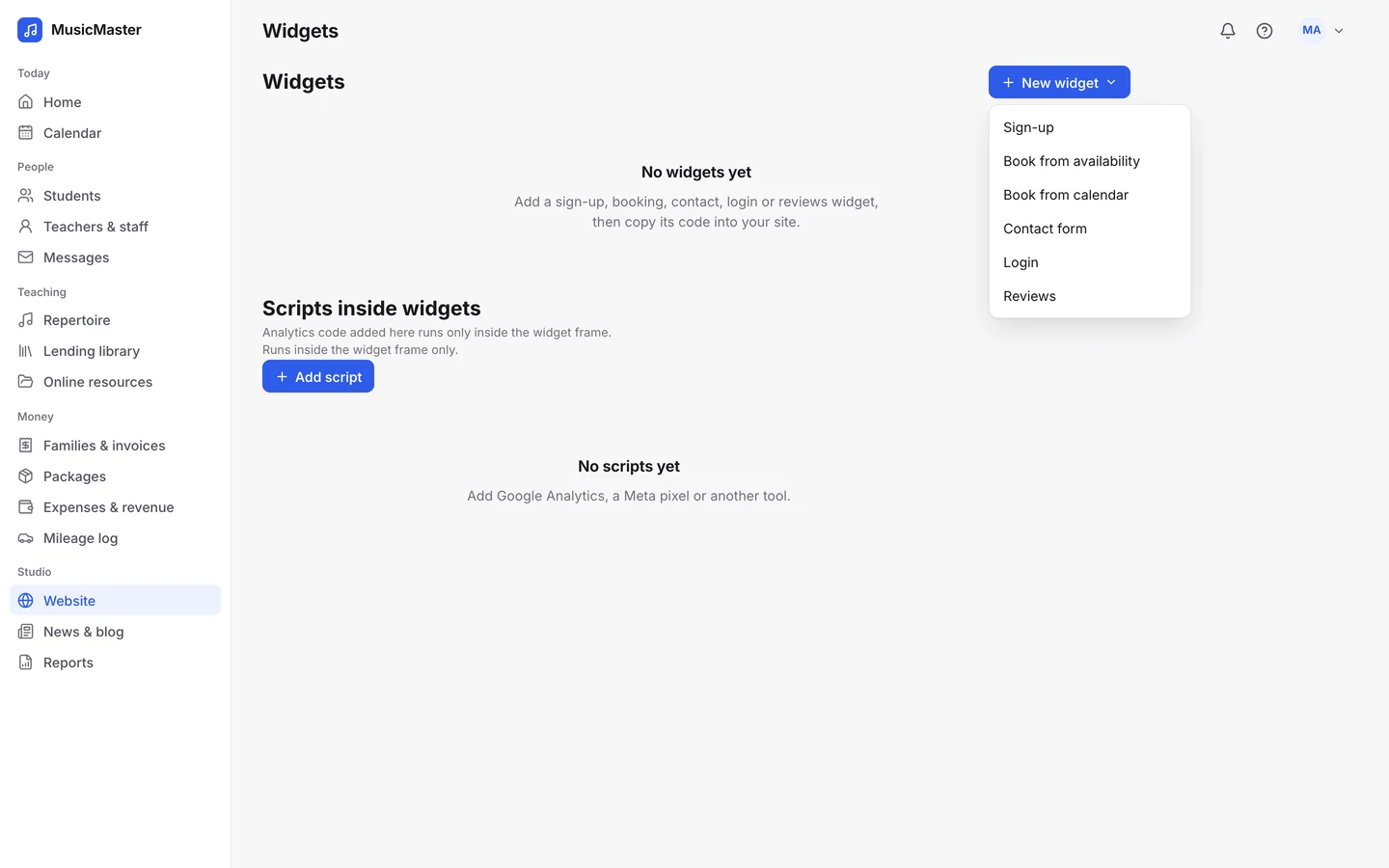
Some studio software includes a site. My Music Staff, for example, has a website builder and widgets for a site you already have. Sonely’s website starts from five templates (Studio classic, Bright keys, Quiet hall, Open stage and Garden room) and publishes on your own domain with a CNAME record. You build pages from blocks, set each page’s title and description for search and social sharing, and the sign-up, booking, contact and family login forms are built in.
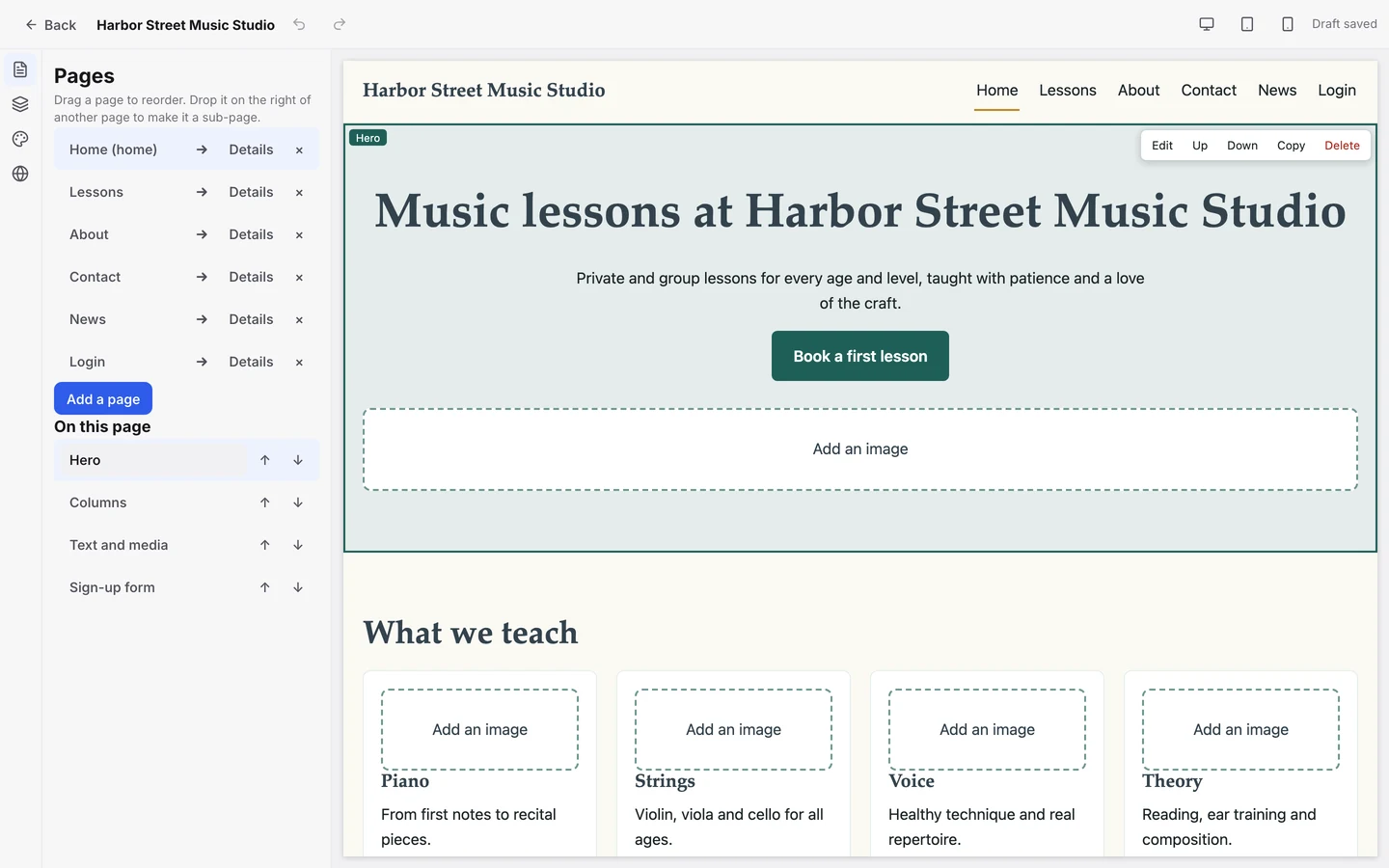
Already happy with your site? Embed Sonely’s widgets in it instead. The website comes with every plan, including the free plan for one teacher. Read more about Sonely’s website builder or see how a studio website compares with a general builder.
A launch checklist for your music studio website
MUSIC STUDIO WEBSITE: LAUNCH CHECKLIST

Pages
[ ] Home: what, who and where in the first screen, one booking button
[ ] Lessons and rates: prices or starting prices, what tuition includes
[ ] One page per instrument you teach
[ ] About: first person, real photo, training and experience
[ ] Policies: summary on the page, full policy linked
[ ] Booking: form works on a phone, trial lesson explained
[ ] Contact: short form, area served, teaching hours

Search
[ ] Each page has its own title with instrument and town
[ ] Each page has its own meta description
[ ] Google Business Profile verified, real studio name, photos added
[ ] Website address added to the Business Profile
[ ] Review link ready to send to happy families

Before you publish
[ ] Test the booking form yourself, on a phone
[ ] Check every page on a phone screen
[ ] Ask one parent to find your prices and book, and watch where they get stuck